
Choosing a CRM for Small Business
Compare 17 CRM platforms side by side, or answer a few honest questions and get a personal match – even when it isn’t popcorn.
Every price and feature traces to a dated, official source. If we’re not sure, we say so.
17 platforms compared, side by side
Prices last verified 19 Aug 2026
Independent · Sourced · Honest Comparison
Let's find your match.
Takes about 60 seconds. Free forever, no card required — either way.
CRM basics are always included even if you don't rank them - tap in order of importance for everything else. First tap is your top priority; tap again to remove.
Pick at least one priority to continue.
Anything specific you're looking for?
Review each section below.
Please review every section above before continuing.
A few numbers to get this right
Some of what you picked is priced by usage, not just team size — this keeps the numbers real instead of guessed.
Your best-fit CRMs
Review your selections
Suitability score is based on real feature-availability data across popcorn and 16 competitors. Pricing shown is an approximation for a first test pass, not the finished pricing engine — some platforms (contact-volume or bucket-based pricing) aren't fully modelled yet. Dealbreakers you selected are applied as hard filters, including against popcorn.
What to look for when choosing a CRM
Budget & contracts
What’s the real monthly cost for your team size, and are you locked into a contract?
Ease of use
Will your team actually use it, or will it sit half-set-up like the last one?
The right features
Sales-focused, marketing-focused, or both – not every business needs the same tools.
Setup & support
How long to get running, and what happens when you’re stuck?
Room to grow
Can it scale with you, or will you be migrating again in a year
Integrations
Does it connect to the tools you already use, or add more admin?
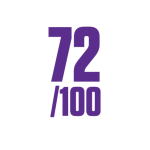
What’s stopping your prospects saying yes?
Free 2-minute quiz – get your sales health score instantly.
We know there’s no single “best CRM” for every business. Our comparisons look at the things that matter most to small businesses: features, ease of use, pricing and hidden costs, setup and learning curve, sales and marketing tools, integrations and the support available when you need help.
We research each platform using publicly available information and vendor documentation, looking beyond long feature lists to consider what it’s actually likely to mean for a small business day to day. And while we obviously know popcorn CRM best, our aim is to highlight where each platform is stronger, who it’s best suited to and where the differences really matter.
Small Business Focused CRM :


All-in-one CRM:
Feature-rich platforms designed for larger businesses that need sales, marketing, service and more all in one place.

Sales Focused :
CRMs built around managing leads, sales pipelines and helping sales teams follow up and close more deals.


Project Management Focused :
Platforms that combine CRM with task, workflow and project management tools to manage customers and work together.

Marketing Focused CRM :
CRMs with advanced email marketing, automation and lead nurturing tools for businesses with more complex marketing needs.


Last reviewed: September 2026
How this comparison tool works
Check our working rather than take our word for it – every score and price traces back to a dated, official source.
This keeps the tone consistent with the “not rigged, sourced, honest” positioning running through the rest of the page, and the description doubles as a one-line trust hook for anyone scanning past the accordion without opening it.
This page explains exactly how popcorn’s CRM comparison tool scores and prices platforms, so you can check our working rather than take our word for it.
The tool compares 17 CRM platforms (popcorn and 16 competitors) across 54 tracked features, grouped into five categories: Sales, Marketing, Management Reporting, Project Management, and Data & Integrations.
Every feature claim in this tool is backed by a specific, dated, official source – a vendor’s own pricing page, feature documentation, or help centre article. Claims are never sourced from review sites, marketing blogs, or third-party comparison articles. Where an official source doesn’t clearly confirm a claim, we mark it “unconfirmed” rather than guess.
As of this page’s last update, 854 of 918 tracked feature claims (93%) link directly to their source. Each result in the tool shows a “source” link and a verification date next to every feature it lists.
Every platform-feature pair is marked with exactly one of these:
| Code | Meaning |
|---|---|
| N | Included natively, at the tier the platform’s price reflects |
| U | Available, but requires upgrading to a higher tier |
| A | Requires a separate, additional paid product from the same vendor |
| I | Requires a third-party integration |
| L | Limited or partial capability |
| X | Not available |
| R | Genuinely unconfirmed – not guessed, not assumed |
When you select what your business needs, the tool scores each platform out of 100% for your chosen priorities.
Scoring is split into two tiers, not one flat list:
- CRM Basics – a small set of features that are genuinely standard across the market (verified as present on all, or nearly all, of the 16 competitor platforms). These are always scored, whether or not you specifically ask for them, because they represent baseline expectations for any tool in that category.
- Everything else – only counts toward your score if you specifically select it. If you don’t ask for a feature, a platform is never penalised for lacking it.
Each status code carries a point value: N = 2, U = 1, A/I/L = 0.5, X/R = 0. A platform’s score for a category is its earned points divided by the maximum possible, as a percentage.
If you select more than one priority (for example, Sales and Marketing), each priority’s score is weighted by the order you ranked them in – your first priority counts roughly twice as much as your second, which counts roughly twice as much as your third, and so on.
A platform only appears in your results if it scores above 55% on your selected priorities. This threshold exists specifically to stop a platform that’s technically adequate on one or two generic basics – but has no real capability in the area you asked about – from appearing as a false match.
How pricing is calculated
Pricing is not a single formula applied to every platform. Each platform’s genuine pricing structure is modelled individually, because these structures vary in ways that matter:
- Seat-bundle floors (e.g. a platform that requires paying for 3 seats minimum, regardless of team size)
- Hard minimum-seat requirements (e.g. a platform that requires a 15-seat minimum purchase)
- Bucket-based seat purchasing (e.g. seats sold in blocks of 5, not individually)
- Contact-volume-driven pricing, where cost scales primarily by contact list size rather than team size
- Flat-plus-marginal pricing, where a base price covers a set number of seats and each additional seat costs a fixed amount
Where a platform’s price would need to reflect a paid upgrade or add-on for features you’ve selected, the tool either calculates the correct higher price directly, or – where the exact figure isn’t publicly confirmed – shows a clear warning rather than an unverified number.
Common CRM questions from small business owners
Choosing a CRM for a small business can be confusing. Here are straightforward answers to the questions small business owners and entrepreneurs ask about CRM software, including what it does, what it costs, which features you really need and how different CRM platforms compare.
There isn’t one CRM that’s best for every small business. The right choice depends on what you need it to do, how many people will use it and how complex your sales and marketing processes are. Some CRMs focus on simple contact and sales management, while others offer advanced marketing, automation, project management or enterprise tools.
A CRM keeps your contacts, leads, conversations, follow-ups and sales opportunities organised in one place. It helps you see who needs following up, what stage each opportunity is at and what needs to happen next.
Not every business needs a CRM from day one. But once you’re managing enough prospects that spreadsheets, inboxes or memory make it difficult to keep track of follow-ups, a CRM can make the sales process much easier to manage.
CRM pricing varies considerably. Some platforms offer free plans, while paid CRM software can range from relatively inexpensive per-user subscriptions to hundreds of pounds per month for platforms with advanced sales, marketing and automation features.
A sales-focused CRM is usually better if your priority is managing leads, follow-ups and your sales pipeline. A marketing-focused CRM may be more suitable if email campaigns, marketing automation and lead nurturing are a bigger part of your business.
Yes. Businesses change CRM systems regularly, although moving becomes more complicated as you accumulate more contacts, data, integrations and automated processes. That’s why it’s worth considering both what you need now and what you’re likely to need as the business grows.
It can be. A free CRM may provide everything a sole trader or very small business needs initially. The important thing is to check which features are included, any limits on users or contacts, and what you’ll need to pay for if you outgrow the free plan.
Start with what you actually need rather than comparing the number of features each CRM offers. Look at ease of use, sales and marketing tools, integrations, support, user limits and the real monthly cost for the number of people who will use it.
Book a Demo
Book a demo and see how popcorn compares to the alternatives you’re considering.
Choosing the right CRM often comes down to how well it fits the way your business actually works day to day.
In a personalised demo, we’ll show you how popcorn CRM helps small businesses stay on top of leads and improve follow-ups.
Book your demo and see how popcorn performs alongside the other options you’re considering.
Or if you’d rather explore first: