
CRM BASICS . CORE FEATURE
CRM Company Management: See the Whole Company in One Place
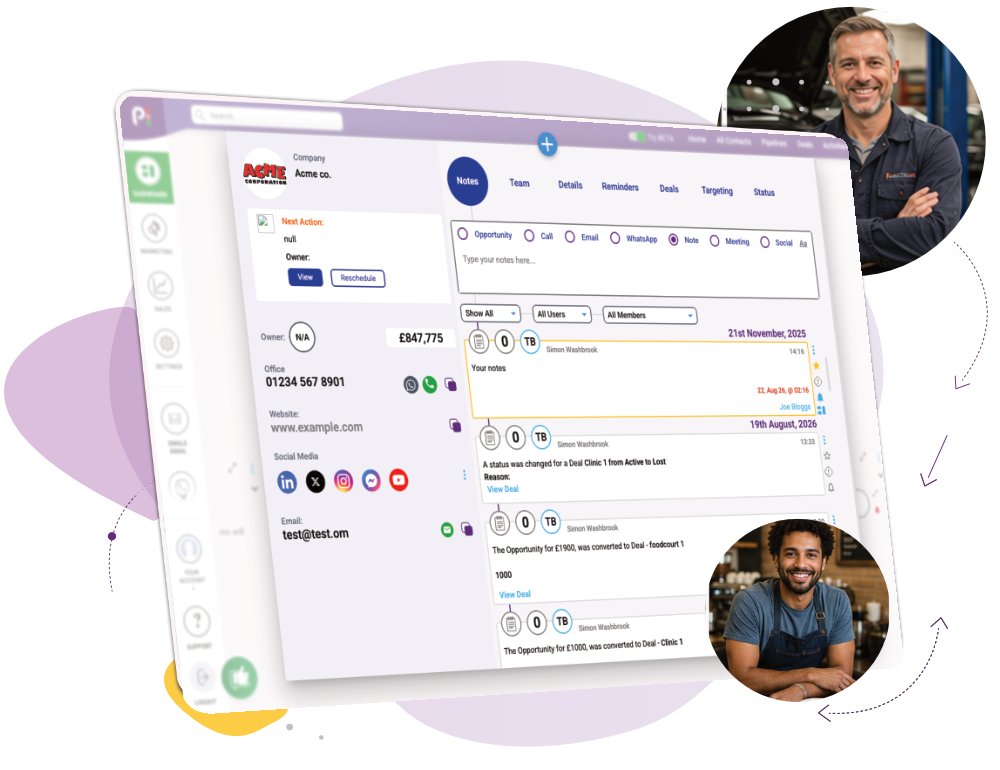
What it is: Company Management popup, is popcorn’s way of tracking a relationship with an entire business, not just the individual people at it. A contact record shows one person; a company record shows the whole company.
Every contact, deal and conversation tied to that business, joined up in one place – so you never lose the bigger picture chasing individual contacts.
CRM Features › CRM Basics › Company Management
What you can do
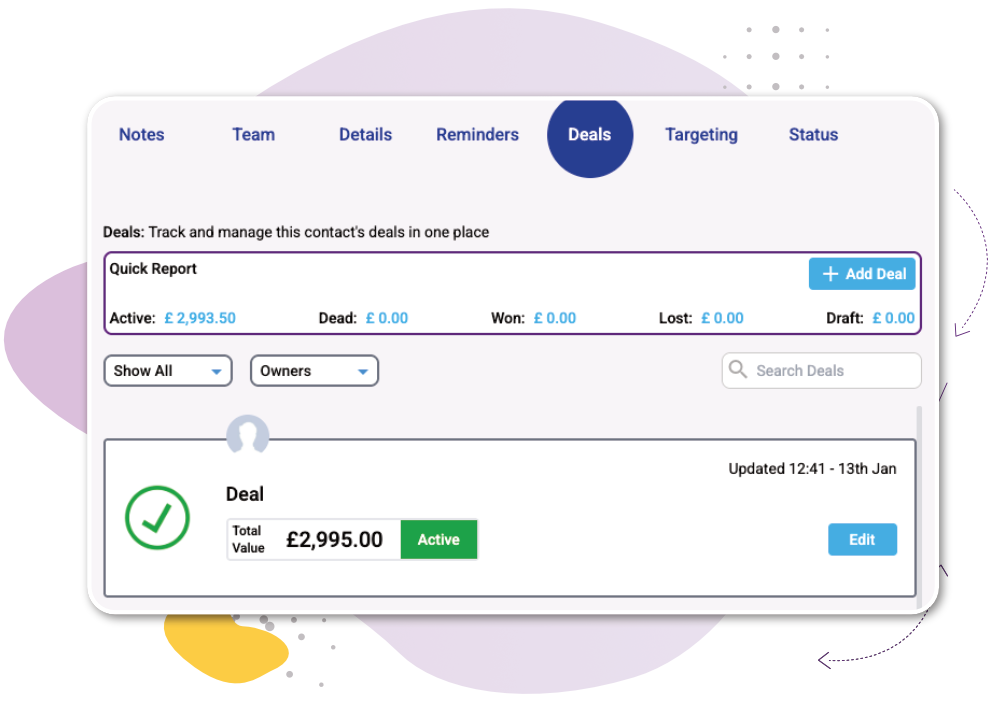
See where every contact and deal stands, at a glance
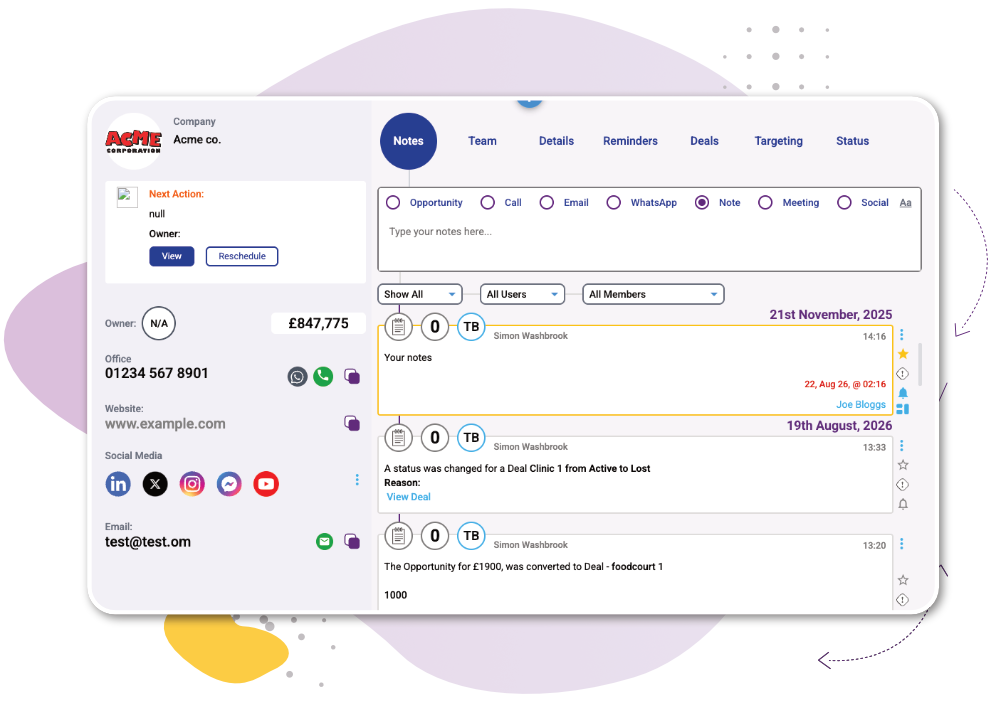
See combined activity, not fragments
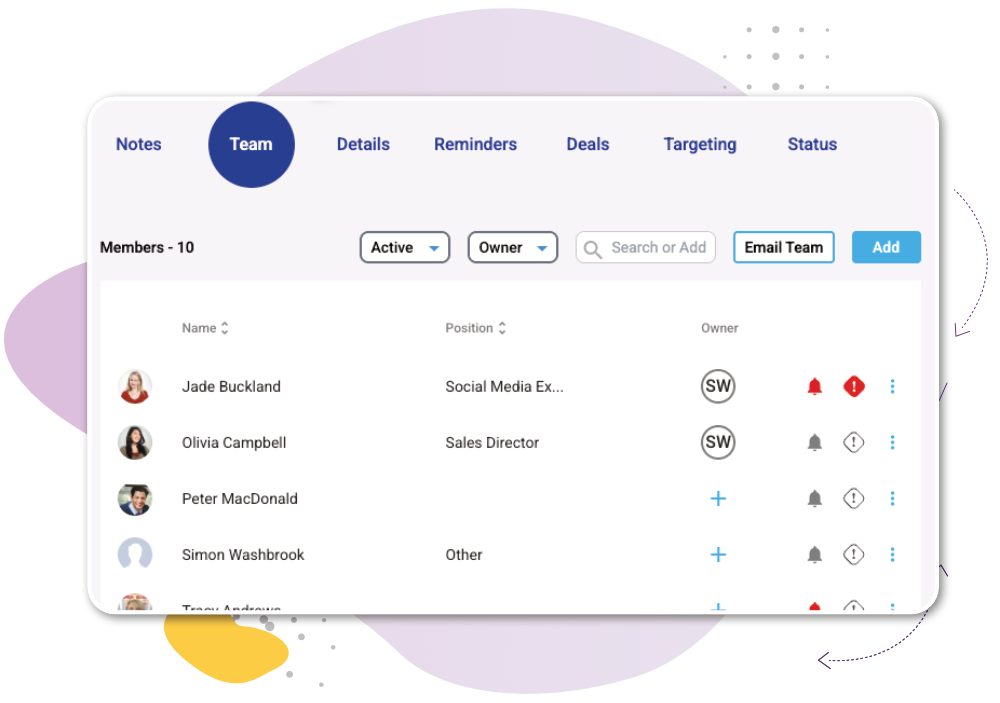
Keep history when people move on
If a contact leaves the company, activity from their time there stays exactly where it belongs. New activity simply stops being attributed to that company – nothing gets rewritten or lost.
How it works
1
2
3

“popcorn is really intuitive and I can see exactly what’s going on in the customer journey… it makes me able to make really good business decisions!”
Joe Trodden
Works Alongside:
See how these features connect.
Common Quesions
A contact record shows your relationship with one person. A company record shows your relationship with the whole business – every contact, deal and conversation linked to it, together.
Yes – link as many contacts as you need to a single company record, and see all of their combined activity in one place.
Their historical activity stays attributed to the company for the period they worked there. New activity is no longer linked to that company once they’ve gone.
Yes – deals from every linked contact roll up to the company record, so you can see the full commercial relationship, not just one person’s pipeline.
Ready to see the whole company, not just the contacts?
Or if you’d rather explore first: