
Daily Dashboard Tools
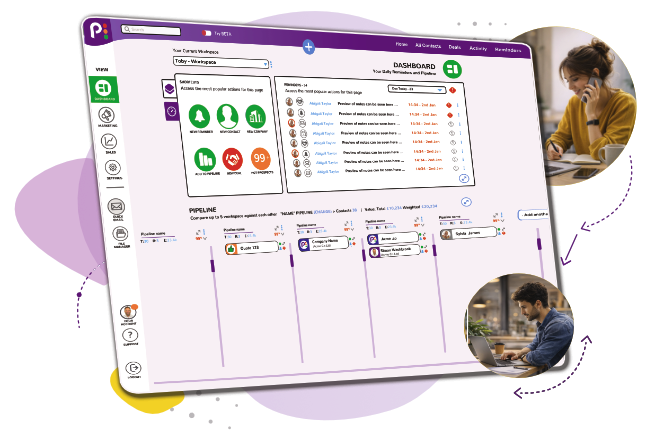
The dashboard is designed to help you keep on top of your leads by giving you insight into priorities, follow-ups, pipeline and key business information in one place.
You gain complete visibility of your day, helping you focus on growing your business.
No complicated setup. Up and running in minutes.
4.9/5 on Google – Trusted by hundreds of UK small businesses | 🇬🇧 UK-based support
Who are the daily dashboard tools best for?
Designed for businesses that want a simple, organised way to manage contacts, track opportunities and stay on top of every customer interaction.
Small business owners still using spreadsheets
Information everywhere and struggling to remember who to follow up.
Businesses starting to build a sales process
You have leads, but there is no clear process for managing them.
Smaller teams in need of simplicity
Not looking for a huge CRM and just want something simple that works.
Businesses moving away from generic tools
Information getting missed because everything depends on memory.
What problems do the daily dashboard tools solve?
From scattered customer information to missed follow-ups, the dashboard brings everything together to help you stay organised and in control of your sales process.
Lost leads
Unable to remember what you last spoke to someone about.
Every contact having a history of notes, activity and next steps.
Missed follow-ups
Being too busy to call people back.
Reminders to show exactly who needs attention.
Disorganised information
Details spread across emails, spreadsheets and notebooks.
Everything joined up together in one place.
No visibility of sales
Can’t tell when opportunities are close
A visual pipeline shows exactly where every opportunity sits.
Features
Discover the essential tools that help you organise customer information, manage opportunities and build a more efficient sales process.
Reminders/Tasks
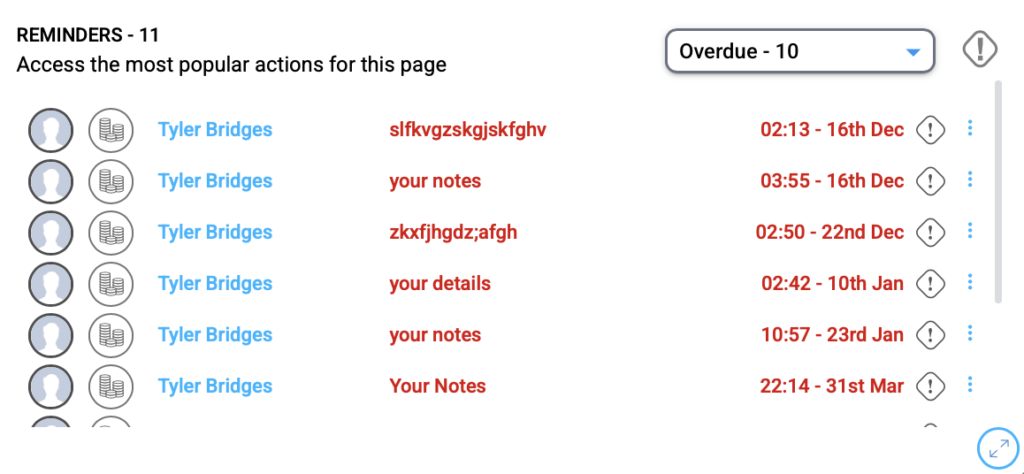
Keep on top of every follow-up with one simple, visual view of your reminders, whether for yourself or your whole team.
Drag and drop pipelines
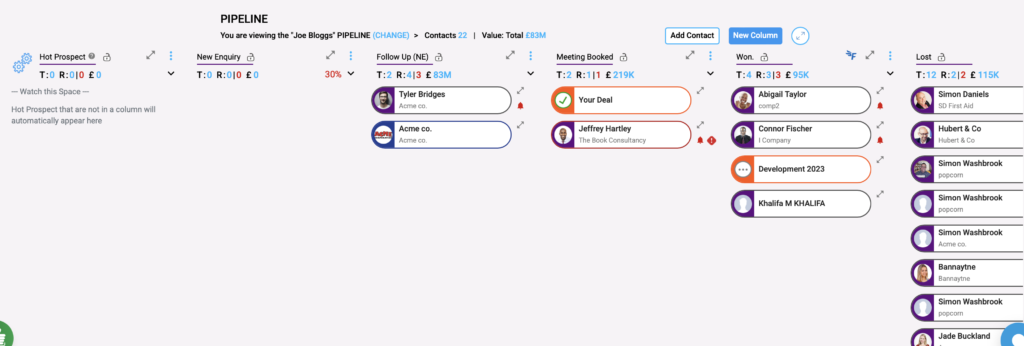
Build and manage visual sales pipelines that fit the way your business works.
Contact pop-ups
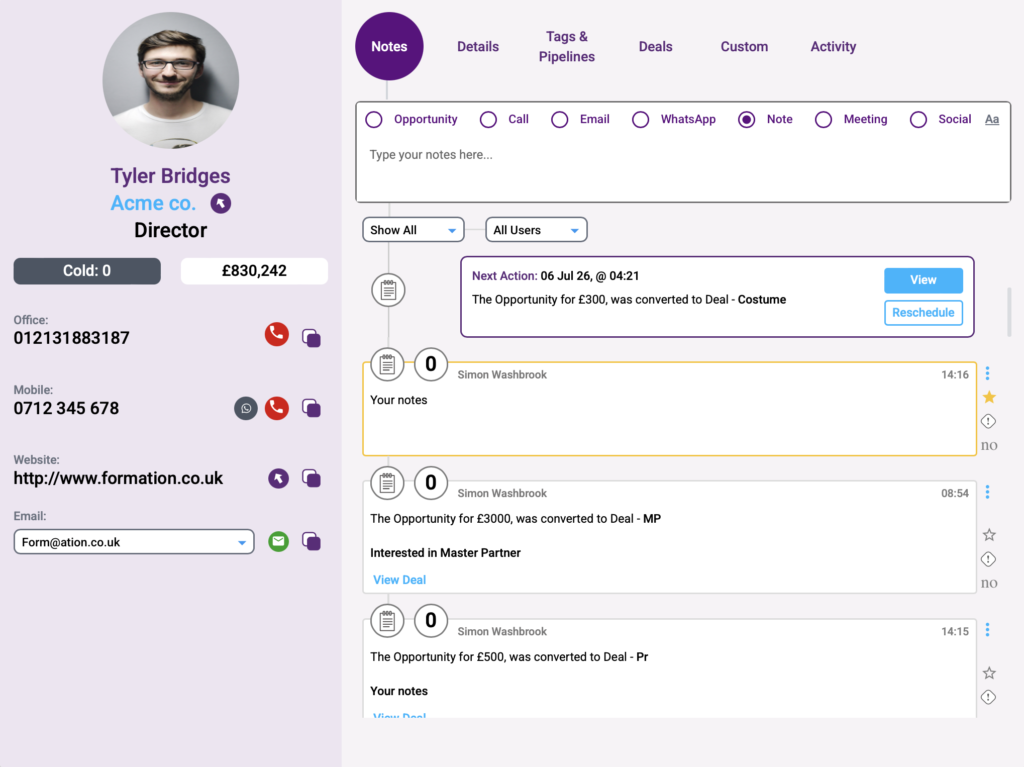
See everything about your contacts in one place – notes, emails, reminders and wesbite visits.
Activity tracking & timeline
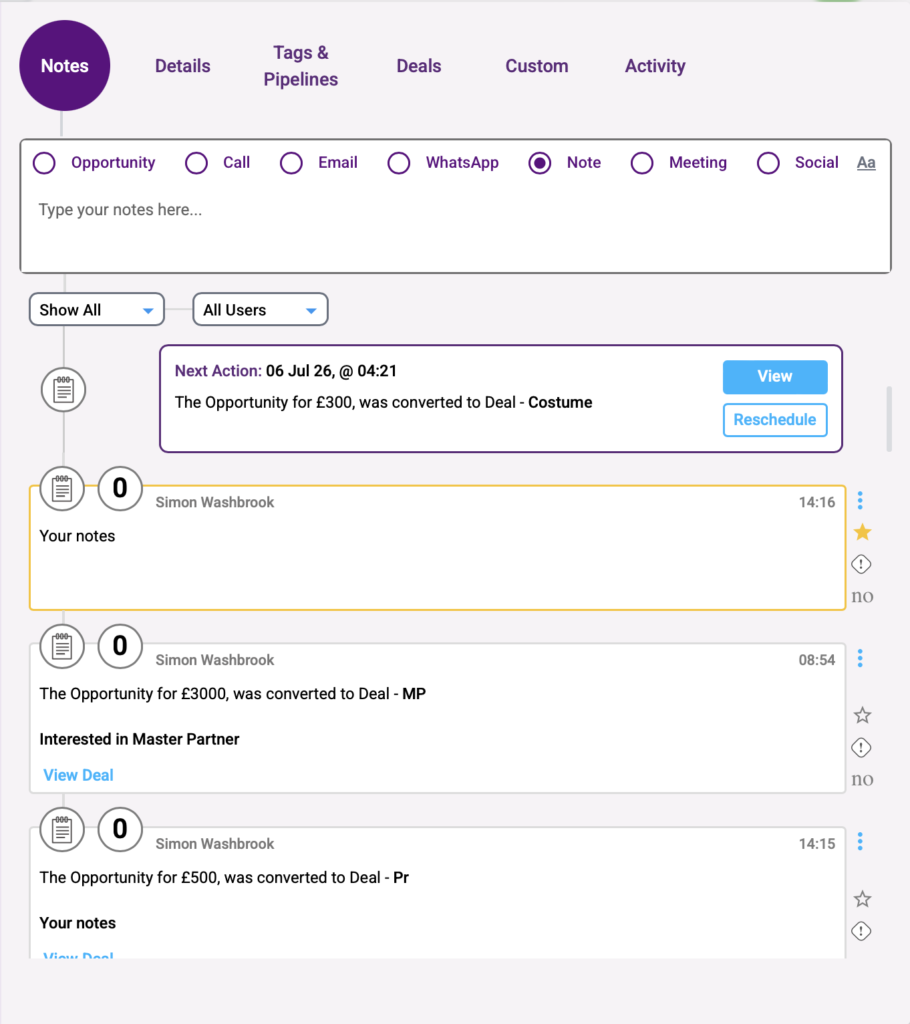
The visual timeline inside the contact pop-up shows you everything heppening with each contact, all in one easy-to-read place.
Company pop-ups
Bring everything together with the company pop-up, all connected contacts, deals, notes, and reminders in one clear view.
Data segmentation
Organise and filter your data into meaningful groups based on criteria such as campaigns, industries, or customer types, making it easier to target communications and manage information effectively.
Statistics
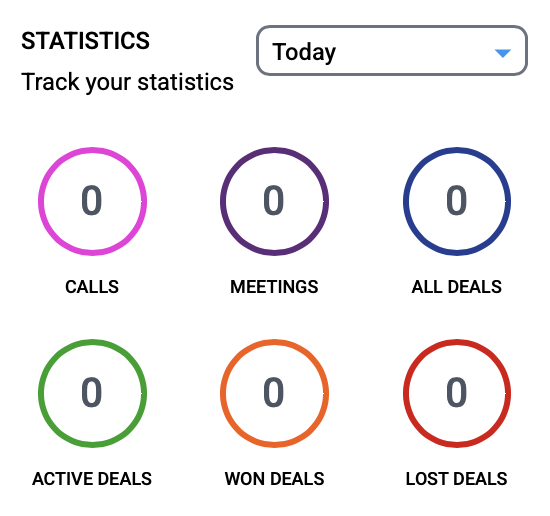
View key business metrics and performance data at a glance. Monitor activity, track progress, and gain valuable insights without needing to run reports manually.
Import/export
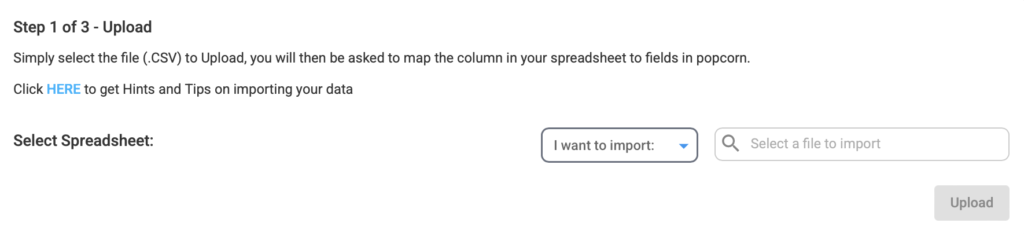
Quickly import exisiting data into popcorn or export information whenever needed. Easily move, update, and manage your data while keeping your records accurate and accessible.
Undo/recovery tool
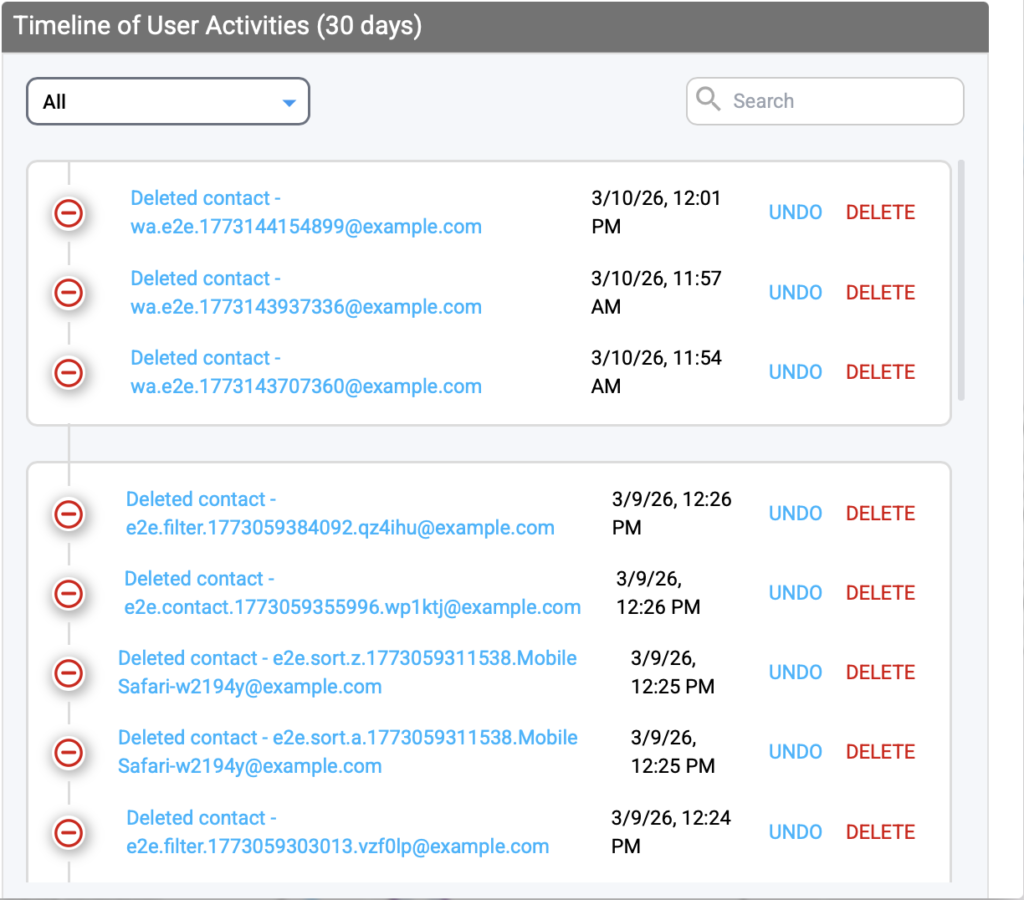
The undo/recovery tool gives you 30 days to restore any deleted emails, contacts, campaigns, or deals. Saving you the stress and time if something gets accidentally deleted by you or your team.
FreeAgent integration
popcorn integrates seamlessly with FreeAgent – the UK’s leading accounting software for small businesses. Create quotes in popcorn and sync them with FreeAgent whilst keeping contacts aligned.
Zapier integration
Connect popcorn with over 3,500 other apps through Zapier — from your favourite marketing tools to everyday productivity platforms.
Keep your data flowing smoothly and securely between systems, so everything stays in sync without the manual work.
Gmail integration
Connect your Gmail accounts to popcorn and bring every email — yours and your team’s — together in one place.
Each message is automatically synced to the contact’s timeline, giving your whole team a single, shared view of every conversation and a true single point of truth for your customer relationships.
Don't just take our word for it...
Join hundreds of UK business owners who’ve simplified their sales with popcorn and haven’t looked back since.
[trustindex no-registration=google]
Common questions about the daily dashboard
A good CRM dashboard should make your day simpler, not give you another screen to manage. Here are some practical questions about using Popcorn to see what needs your attention, understand your customer history and keep your sales process moving.
Yes. The dashboard brings your leads, opportunities, reminders and key activity into one view, helping you see what needs your attention without searching through different parts of your CRM.
Your reminders and pipeline give you a clear view of outstanding actions and opportunities. If you use popcorn’s marketing tools, you can also see engagement such as email activity and website visits, helping you understand which contacts are becoming more active.
Yes. From a contact’s profile, you can see their information alongside notes, emails, reminders and activity in a visual timeline. This gives you the context you need before contacting someone, rather than having to piece together their history from different places.
Yes. You can create visual drag-and-drop pipelines around the way your business works and move opportunities through each stage as they progress. This gives you a quick view of what is active, what needs attention and where opportunities are in your process.
Yes. Popcorn can connect with tools including Gmail and FreeAgent, while Zapier can connect Popcorn with thousands of other apps. This helps keep information flowing between the systems you already use rather than creating more manual admin.