What CRM features does a small business actually need?
When you start comparing CRMs, it is very easy to get buried in feature lists.
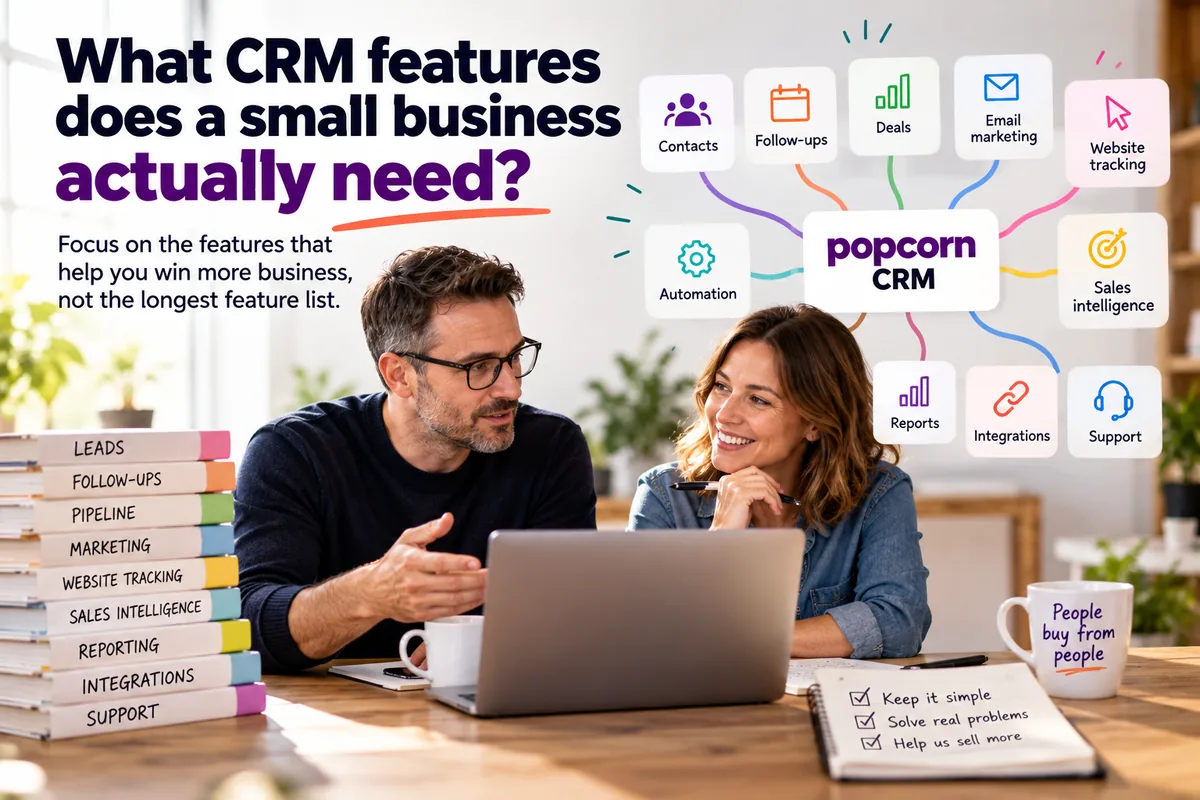
Quick answer
A small business usually needs a CRM that keeps contacts together, makes follow-ups obvious, manages deals, supports essential marketing, tracks website activity, highlights warmer prospects, connects sales and marketing, automates repetitive tasks, reports clearly and integrates with the tools the business already uses. The best CRM is the one your team actually uses.
- Start with the problems you need to solve, not a giant feature list.
- Follow-ups and deal management are core CRM requirements.
- Essential marketing tools should help generate and nurture leads.
- Website tracking should connect back to the CRM.
- Sales intelligence should help the team focus on prospects showing buying intent.
- Sales and marketing activity should be joined together.
- AI should support people, not replace human judgement.
- Integrations, onboarding and support matter for small teams.
- More features do not automatically mean a better CRM.
Overview
Start with what you need, not the feature list
One system has 200 features. Another has 500.
Then somebody shows you AI tools, workflows, dashboards, integrations, scoring models and reports you did not even know you were supposed to want.
Before long, you are comparing software rather than solving the problem you actually have.
For a small business, the better question is: "What do I actually need a CRM to do for me?"
Start there.
For most small businesses, the answer is not "everything".
It is usually something much more practical:
- stop leads being forgotten
- make follow-ups easier
- see where opportunities are
- nurture prospects
- identify who is showing interest
- keep sales and marketing activity together
- understand what needs attention today
- help the team sell without creating more admin
Those are the problems your CRM needs to solve.
Here are the CRM features that matter most.
01 · Contacts
1. Contact management that keeps useful information together
The foundation of any CRM is straightforward.
You need one reliable place to keep customer and prospect information.
That should include things like:
- contact details
- company information
- notes
- emails
- previous conversations
- follow-ups
- deals
- marketing activity
- relevant documents or files
The purpose is not simply to build a huge database.
It is to give your team enough information to understand the relationship.
A salesperson should be able to open a contact and quickly answer: "Who is this person, what have we talked about and what happens next?"
If that information is spread across inboxes, notebooks, spreadsheets and somebody's memory, the CRM is not doing its job.
What to look for: Choose a CRM where the customer history is easy to understand rather than buried under layers of fields and screens.
02 · Follow-ups
2. Follow-ups and reminders
This is one of the most important CRM features for a small business.
Leads rarely disappear because nobody was interested in winning the sale.
They disappear because somebody meant to call them back and forgot.
Your CRM should make it obvious:
- who needs calling
- which follow-ups are overdue
- what needs doing today
- which prospects are waiting for something
- which opportunities have gone quiet
The system should help answer: "Who needs my attention today?" without requiring you to build a report first.
What to look for: Look for clear reminders, next actions and a simple daily view of the work that matters.
In popcorn CRM, the Daily Dashboard is designed around this principle, bringing leads, deals and follow-ups into one place.
03 · Deals
3. Proper deal management
A CRM should be more than an address book.
If you actively sell, you need to be able to manage opportunities properly.
That usually means having:
- a visual sales pipeline
- clear deal stages
- deal values
- owners
- expected close dates
- next actions
- notes
- visibility of deals that have stopped moving
The pipeline should help your team understand where opportunities are and what needs to happen next.
What to look for: Ask the CRM provider to show you how a salesperson would manage one opportunity from first enquiry through to close.
If that feels complicated, everyday use probably will too.
04 · Marketing
4. Essential marketing tools to generate and nurture leads
A small-business CRM should not necessarily stop at contact management.
For many businesses, the CRM should sit at the centre of the lead-generation process.
That means having the essential marketing tools needed to attract, capture and nurture prospects.
Useful tools may include:
- email marketing
- forms
- landing pages
- segmentation
- automation
- nurture campaigns
- WhatsApp communication
The important word here is essential.
You do not necessarily need an enormous marketing platform.
You need the tools that help your business move somebody from:
Interested → Engaged → Opportunity → Customer
What to look for: Ask: "Can this system help us nurture leads, or will we immediately need another platform?"
05 · Website tracking
5. Website tracking connected to the CRM
Website analytics tell you what people are doing on your website.
CRM-connected website tracking can tell you something much more useful: what known prospects are doing.
For example, a prospect may:
- revisit your pricing page
- return several times in a week
- look at a specific service
- respond to an email and come back to the website
- visit shortly after receiving a proposal
Those behaviours can be useful sales signals.
The website should not sit in one world while your CRM sits in another.
What to look for: Look for website tracking that feeds useful activity back into the contact record.
That gives your salesperson more context and helps the CRM become part of the lead-generation process rather than simply a place to store data.
06 · Sales intelligence
6. Sales intelligence that helps you focus on people who may be ready to buy
A good CRM should not just tell you what has already happened.
It should help you decide where to focus next.
For a small business, sales time is limited. Treating every prospect equally is rarely the best use of that time.
Sales intelligence can help surface signals such as:
- repeated website visits
- visits to higher-intent pages
- recent email engagement
- form submissions
- campaign activity
- changes in behaviour
- increased interaction
- active deal movement
The value is not the data itself.
The value is answering: "Who should I focus on today?"
That is where CRM becomes much more commercially useful.
In popcorn CRM, website tracking and marketing engagement feed into Hot Prospects, helping surface existing contacts who are showing stronger signs of interest.
What to look for: Ask whether the CRM helps prioritise prospects rather than simply storing them.
A good CRM should help your salespeople recognise when somebody is warming up.
07 · Joined up
7. Sales and marketing activity joined together
Having sales tools and marketing tools is useful.
Having them connected is much more useful.
Imagine a prospect:
-
They fill in a form.
-
They receive an email.
-
They open it.
-
They revisit your website.
-
They look at your pricing page.
-
Then a salesperson calls them.
The salesperson should ideally be able to see that journey.
That means marketing activity is not happening in a separate black box.
It becomes useful sales context.
What to look for: Ask: "Can our salesperson see the marketing activity around the same contact they are trying to sell to?"
If the answer is yes, your CRM can help create better conversations and better timing.
08 · Automation
8. Simple automation
Automation should save time.
It should not require somebody to become a systems engineer.
Useful small-business automation might include:
- sending a follow-up email
- creating a reminder
- adding a contact to a nurture sequence
- notifying somebody about a new enquiry
- moving a lead into a process
- triggering communication after a form submission
The aim is to automate repetitive activity while keeping the important human parts of selling human.
What to look for: Choose automation that your team can understand and maintain.
If every small change requires a consultant, the automation may be creating as much work as it saves.
A note on AI
Don't rely on AI to do everything
AI is a useful tool for reducing admin, summarising information and helping your team prioritise.
But don't remove the human from the sales process.
Use AI to support your salespeople, not replace their judgement.
09 · Reporting
9. Reporting that helps you make decisions
Reporting can become another feature rabbit hole.
A small business does not necessarily need dozens of dashboards.
It needs enough information to understand what is happening.
Useful reporting might include:
- pipeline value
- deals won
- opportunities lost
- conversion
- sales targets
- activity
- marketing engagement
- email results
- which prospects are becoming warmer
The question should always be: "What decision will we make because of this report?"
If there is no clear answer, you probably do not need the report.
What to look for: Choose reporting that is easy to understand and helps the team take action.
10 · Integrations
10. Integrations with the tools you already use
Your CRM does not need to do absolutely everything.
But it should work with the important tools around it.
That might include:
- Gmail
- Outlook 365
- accounting software
- automation platforms
- finance systems
- operational tools
This becomes particularly important as the business grows. You may have:
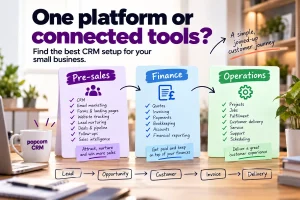
CRM for pre-sales
Finance software for invoicing and accounts
Operations software for delivery
Those systems can work together without forcing everything into one enormous platform.
What to look for: Ask: "Does this CRM fit into the way our business already works?"
rather than: "Can we force everything into the CRM?"
11 · Support
11. Support and onboarding
This feature is often ignored during the buying process.
Then something goes wrong.
For a small business without an internal CRM administrator, being able to get practical help can be extremely valuable.
Look at:
- onboarding
- telephone support
- online support
- data-import help
- pipeline setup
- training
- availability of real people when needed
Software that is slightly cheaper but difficult to implement can quickly become the more expensive choice.
What to look for: Ask exactly what happens after you sign up.
Do not assume every provider means the same thing by "support".
Prioritise
What CRM features do you actually need?
A useful way to decide is to divide features into three groups.
Essential
Features that solve a real problem today.
For example:
- contacts
- follow-ups
- pipeline
- deal management
- marketing
- website tracking
Useful
Features that would genuinely improve the way your business works.
For example:
- automation
- Hot Prospects
- more advanced reporting
Nice to have
Features that look interesting but you cannot currently explain how you would use them.
This third group is where software costs have a habit of growing legs.
Do not buy a CRM because it has an impressive feature list.
Buy it because it solves the problems you have.
Your stack
Do you need one system to do everything?
Not necessarily. This is another common trap.
As businesses grow, they often assume they need one huge system covering the entire company.
But a small business can often be better served by three connected systems:
Pre-sales
CRM, marketing, lead generation, website tracking, deal management and follow-up.
Finance
Quotes, invoicing, payments and accounting.
Operations
Projects, delivery, fulfilment or service.
If those systems integrate sensibly, you can create a joined-up customer journey without forcing every department into the same platform.
That can be:
- more cost-effective
- easier to use
- easier to change
- better suited to the people using each tool
And when the business changes, you can replace one system without rebuilding everything else.
popcorn
Where popcorn fits
popcorn CRM is designed around the pre-sales needs of a small business.
It brings together:
- CRM
- contact management
- deal management
- pipelines
- reminders
- email marketing
- forms
- landing pages
- automation
- website tracking
- Hot Prospects
- dashboards
- integrations
The aim is not to have the longest feature list.
It is to join the important sales and marketing tools together so a small business can generate leads, nurture them, identify buying signals and keep opportunities moving.
Paid popcorn customers also receive UK phone support and free onboarding.
The real test
The best CRM is the one your team actually uses
A CRM with hundreds of features is not automatically better.
If your team only uses ten of them, the other 190 are not creating much value.
What matters is whether the system helps your business:
- find opportunities
- nurture prospects
- manage deals
- remember follow-ups
- recognise buying signals
- understand customer activity
- make better sales decisions
without creating unnecessary complexity.
That is the real test.
Summary
Quick checklist: CRM features for a small business
Before choosing a CRM, ask:
- Can we keep useful customer information together?
- Will it help us remember follow-ups?
- Does it have proper deal management?
- Can we see our pipeline clearly?
- Does it include the essential marketing tools we need?
- Can we capture leads from our website?
- Is website tracking connected to the CRM?
- Can it help identify prospects showing buying intent?
- Are sales and marketing activity joined together?
- Can we automate repetitive activity?
- Does reporting help us make decisions?
- Does it integrate with the tools we already use?
- What onboarding and support do we get?
- Will the team actually use it?
- Are we paying for features we do not need?
If you can answer those questions clearly, you are much closer to choosing the right CRM.
Frequently asked questions
What are the most important CRM features for a small business?
For most small businesses, the essential features are contact management, follow-up reminders, deal management, a visual sales pipeline, marketing tools, website tracking, simple automation and useful reporting. Integrations and support are also important. The right feature set depends on the problems your business actually needs the CRM to solve.
Does a small business need marketing tools in its CRM?
For many small businesses, yes. Having email marketing, forms, landing pages, automation and website tracking connected to the CRM can make it easier to generate and nurture leads. The important thing is that those tools work with the customer data rather than sitting in separate systems with no connection.
What is sales intelligence in a CRM?
Sales intelligence uses customer and prospect activity to help salespeople decide where to focus. That might include website visits, email engagement, form submissions, campaign activity and deal behaviour. The goal is to help identify which prospects are showing stronger buying signals and may deserve attention sooner.
Does a small business need website tracking in its CRM?
It can be very useful. Website tracking connected to known CRM contacts can show when prospects revisit the site, view important pages or engage after marketing activity. That gives salespeople additional context and can help identify warmer opportunities.
Does a CRM need deal management?
If your business actively manages sales opportunities, yes. Deal management gives you visibility of pipeline stages, values, owners, next actions and expected close dates. Without it, the CRM may function more like a contact database than a sales management tool.
Should a CRM have lots of features?
Not necessarily. A long feature list only matters if your team actually needs and uses those features. For a small business, a simpler CRM that solves the important sales and marketing problems can be more valuable than a larger system with functionality that adds cost and complexity without improving results.
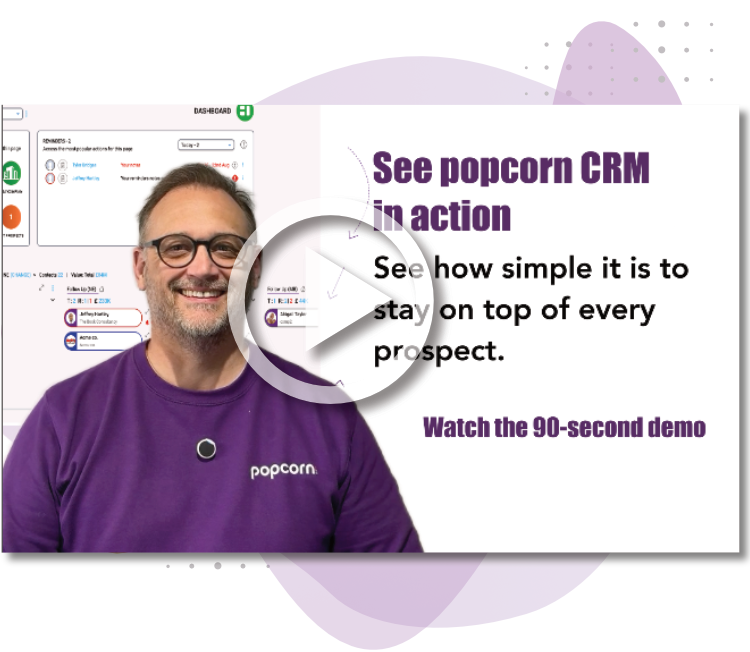
See popcorn in 90 seconds
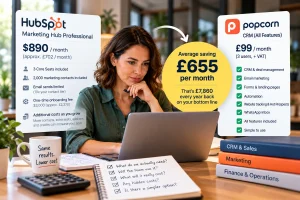
The Small Business Alternative to HubSpot
See how popcorn keeps your customer journey joined up, without the complexity or the HubSpot price tag.
No contracts · No setup costs · UK-based support