
CRM BASICS . CORE FEATURE
Email & WhatsApp Sync: Keep Every Conversation Connected
What it is: Connect Gmail, Microsoft 365 and WhatsApp to popcorn so your customer conversations become part of the contact’s CRM history.
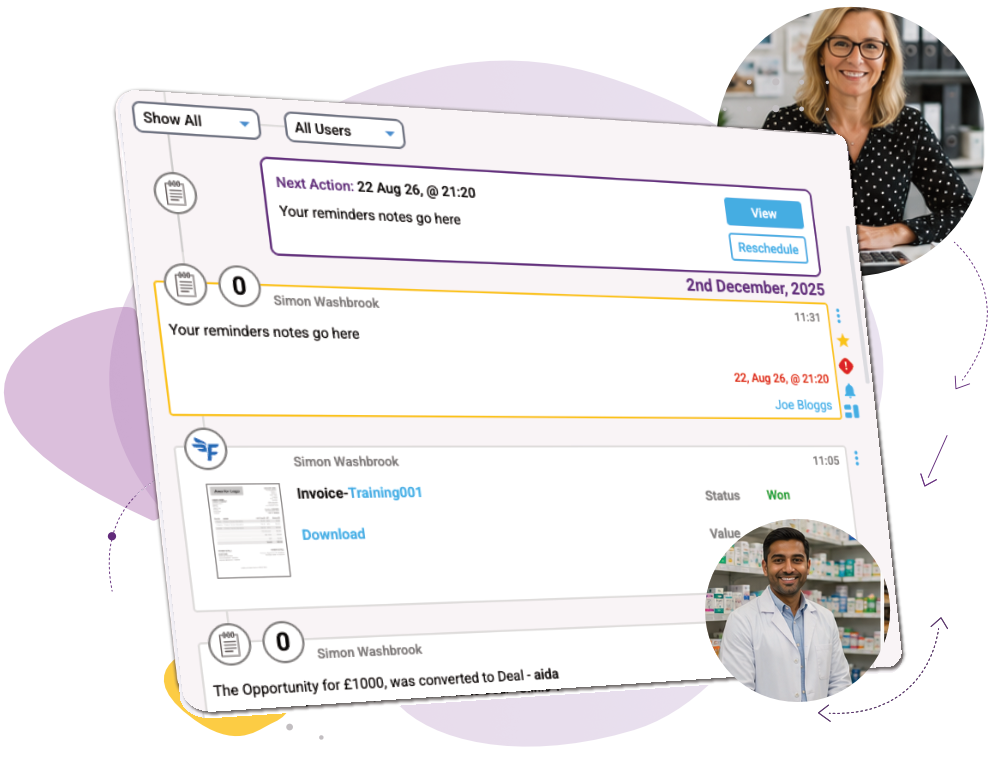
Bring email and WhatsApp conversations together with your marketing activity, notes and team updates, giving everyone the context they need without searching through separate inboxes.
CRM Features › CRM Basics › Data Segmentation
What you can do
Brings conversations together
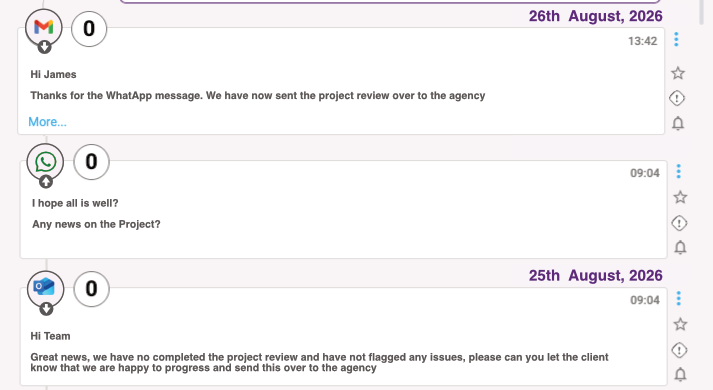
See inbound and outbound Gmail, Microsoft 365 and WhatsApp conversations in the contact’s chronological activity timeline.
Gives your team the full context
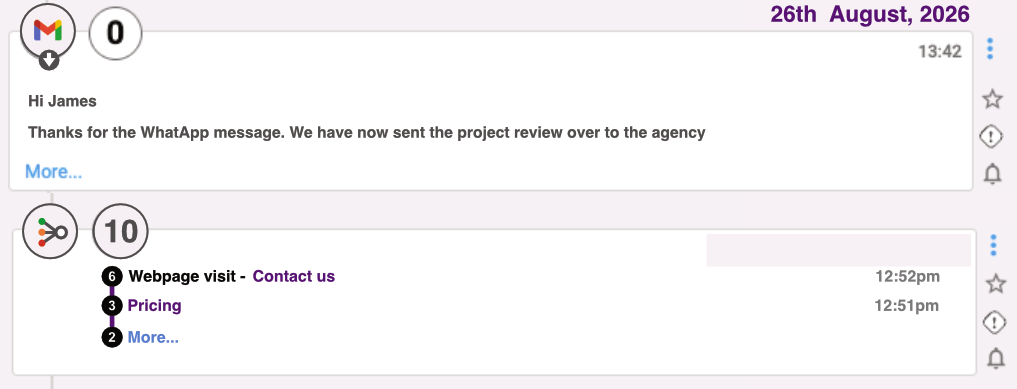
Combine conversations with marketing engagement, notes and other CRM activity so your team can quickly understand what’s happened before they respond.
Gives you control over what syncs
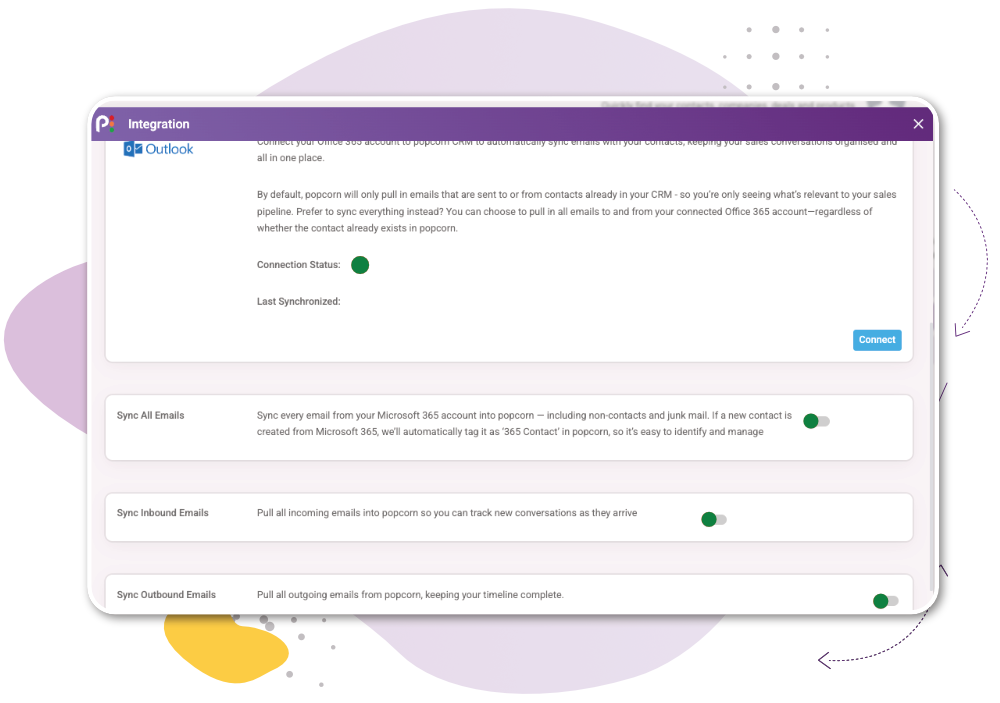
Choose whether to sync communications for contacts already in popcorn or bring wider email activity into the CRM, depending on how you want your team to work.
How it works
1
Connect your accounts – Connect Gmail, Microsoft 365 and WhatsApp to popcorn for yourself and your team.
2
Conversations sync – Incoming and outgoing communications are connected to the relevant contact and added to their activity timeline.
3
See the full history – Open the contact to see conversations alongside marketing engagement, notes and other team activity in chronological order.

“We get the results we want, in the quickest and most effective way possible!”
James Ellis, Business Development Manager
Works Alongside:
See how these features connect.
Common Quesions
Frequently Asked Questions About CRM Email & WhatsApp Integration
Yes. WhatsApp integration allows customer conversations to be connected with CRM contact records, helping keep messaging activity alongside the rest of the customer relationship.
Yes. Bringing customer communication into the CRM gives your team a joined-up chronological history alongside notes, marketing engagement and other relevant activity.
Bring every customer conversation together
Or if you’d rather explore first: