
CRM BASICS . CORE FEATURE
CRM Follow Up Reminders: Never Miss a Follow-Up
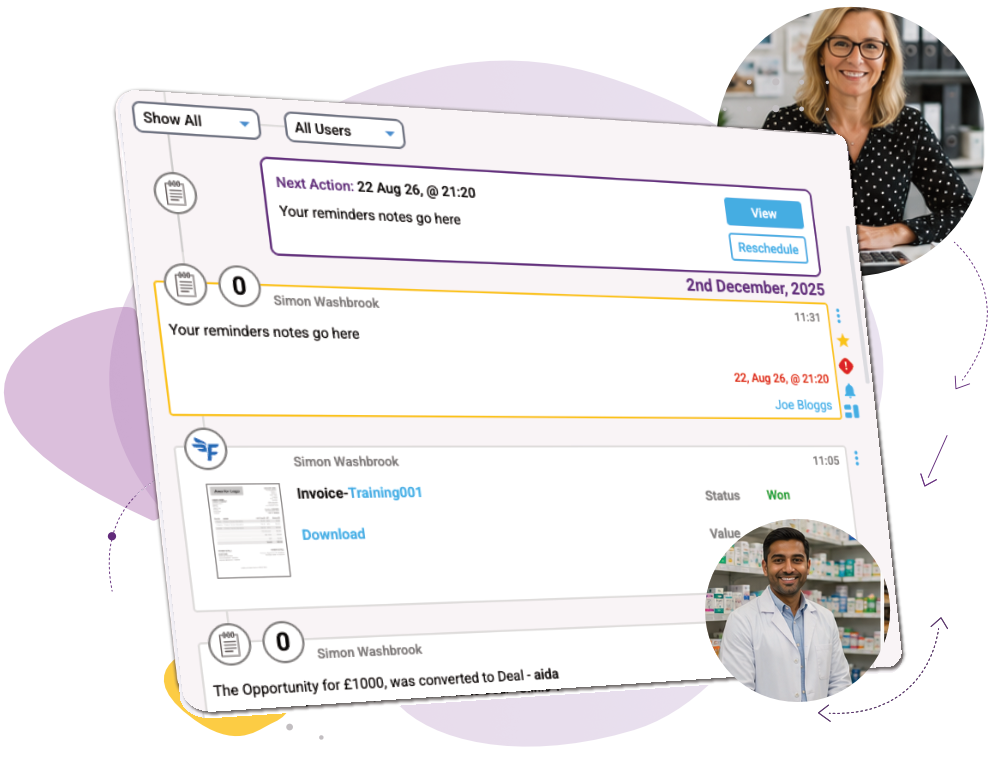
What it is: A simple, visual CRM reminder system designed to stop sales follow-ups being forgotten.
Set the next action against a contact and popcorn keeps it visible across your dashboard, contact record, pipeline and reminders page. When something becomes overdue, it turns red, so you can immediately see where follow-up has slipped or what’s on your daily call list.
CRM Features › CRM Basics › Follow Up Reminders
What you can do
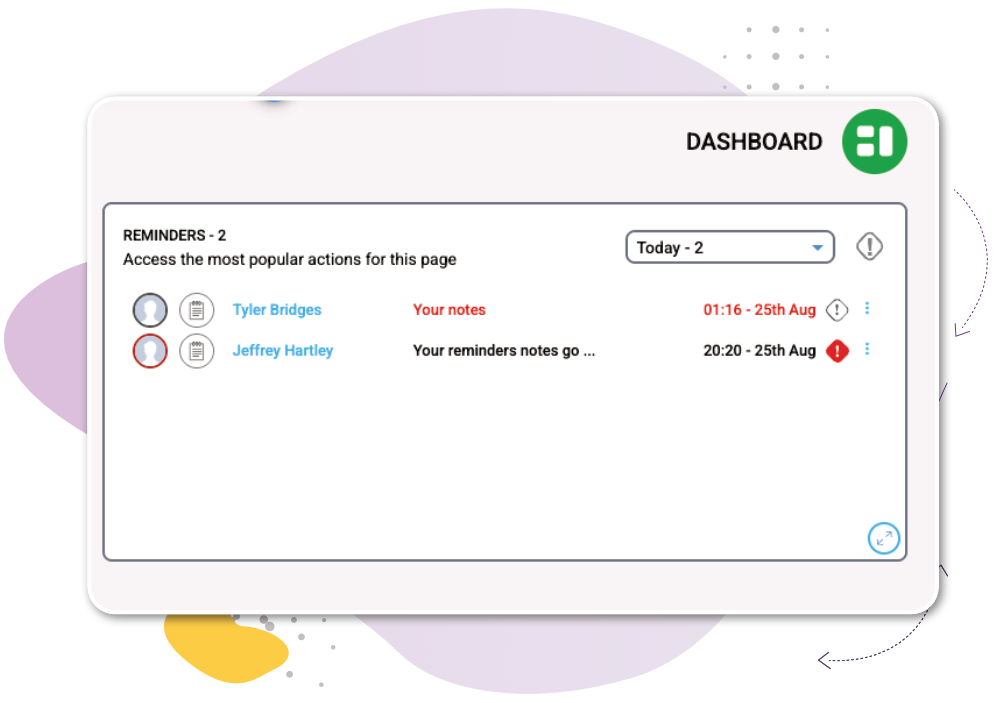
See today's follow-ups at a glance
Your Daily Dashboard shows today’s reminders in one place. Switch between overdue, tomorrow, next week and other timeframes to quickly see what needs your attention.
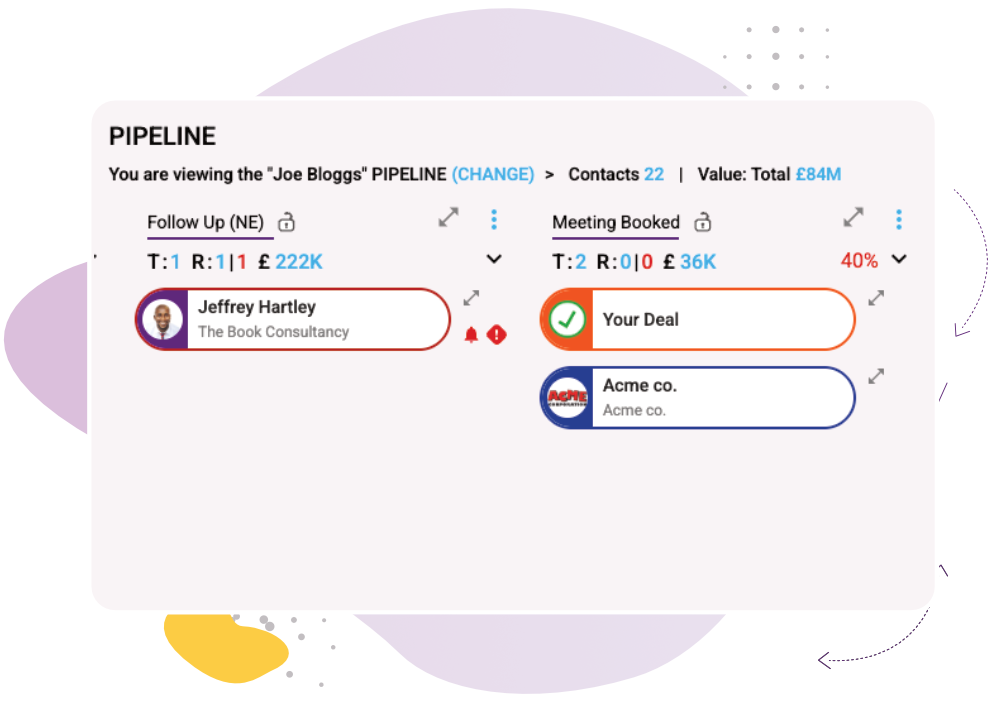
Spot follow-ups being missed
Reminder indicators appear directly in your pipelines, helping you see who has a next action and who doesn’t. Overdue reminders turn red so missed follow-ups immediately stand out.
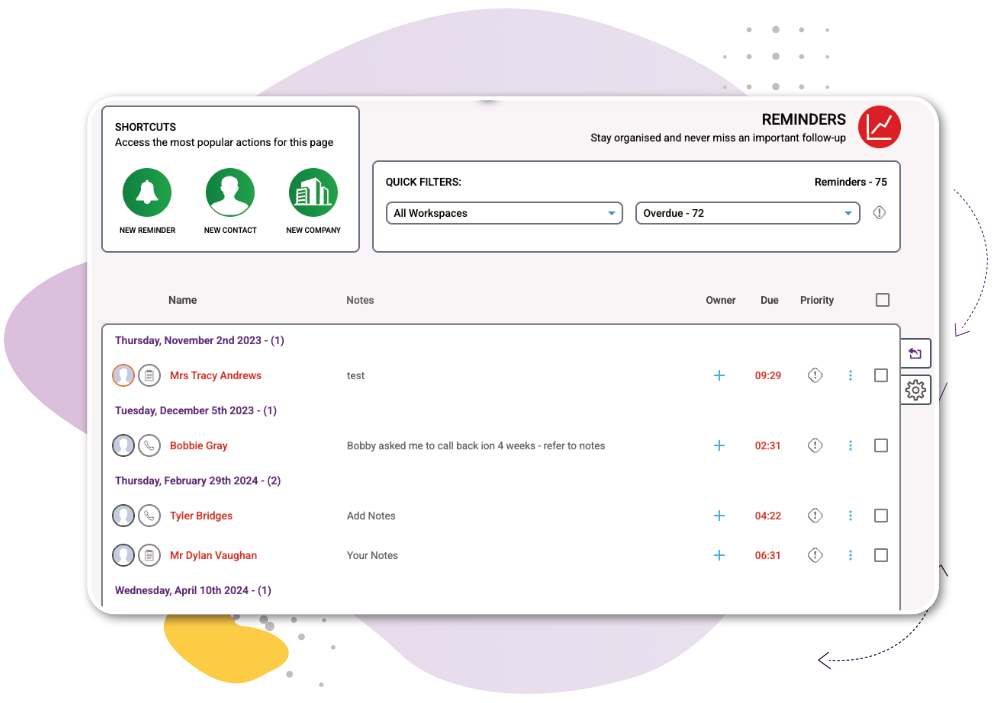
Keep an eye on the team
The Reminders page brings together activity across your different Workspaces and timeframes, giving managers a simple overview of what’s coming up and what’s already overdue.
How it works
1
Set your next action – Add a reminder directly against the contact with the date you want to follow up.
2
See reminders everywhere – View them on your Daily Dashboard, Contact Popup, pipelines and dedicated Reminders page.
3
Spot overdue follow-ups – Overdue reminders turn red, making missed follow-ups instantly visible.

It’s easy to use and I can see at a glance who I need to call along with the intelligence on what I need to talk to them about.
Aaron Hall, Business Development Director
Works Alongside:
See how these features connect.
Common Quesions
Quick answers to common questions about CRM follow-up reminders, from keeping track of daily calls to spotting overdue activity and managing follow-ups across your team.
CRM follow-up reminders tell you when it’s time to contact a lead or customer again, helping you keep the next action visible and avoid opportunities being forgotten.
Yes. popcorn lets you set a reminder against a contact and then makes upcoming and overdue reminders visible throughout the CRM.
Set the next action against each contact and use your dashboard, pipeline and reminders page to see what’s due, what’s coming up and what’s overdue.
They keep the next action visible. In popcorn, overdue reminders also turn red, making missed follow-ups easier to spot before an opportunity slips away.
Yes. popcorn’s Reminders page provides an overview across different Workspaces and timeframes, helping managers see upcoming activity and where follow-ups are overdue.
Ready to see the whole company, not just the contacts?
Or if you’d rather explore first: