HubSpot vs a simple CRM: which is better for a small business?
If you are comparing HubSpot with a simpler CRM, the most important question is not "Which system has the most features?"

Quick answer
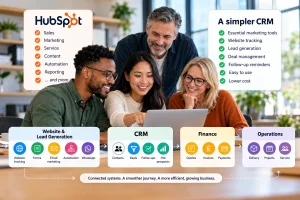
HubSpot can be the better fit if your business needs a broad platform across sales, marketing, service and reporting, and you have the time, budget and resources to manage it properly. A simple CRM may be the better fit if your small business mainly needs strong deal management, clear follow-ups, essential lead-nurturing tools and a system your team will actually use every day without unnecessary cost or complexity.
- Start by asking what you need the CRM to do for your business.
- Check whether it has proper deal management, not just contact storage.
- Make sure it includes the essential marketing tools you need to nurture leads.
- Compare whether sales and marketing stay joined up.
- Review ease of use, follow-ups and next actions.
- Compare the real cost as your team and requirements grow.
- Check how much administration and training the system needs.
- Choose the CRM that fits the way your business actually sells.
Overview
Start with what you need, not what it can do
The most important question is not: "Which system has the most features?"
It is: "What do I actually need a CRM to do for my business?"
That should be the starting point.
For many small businesses, the real problems are quite practical:
- leads are being forgotten
- follow-ups are being missed
- sales opportunities are hard to track
- customer information is spread across different places
- marketing and sales activity are disconnected
- the team cannot see what needs attention today
- software costs are getting out of control
- the CRM feels harder to manage than the work itself
Once you are clear on the problem, you can compare whether HubSpot or a simpler CRM is the better fit.
Here are the 10 things a small business should compare.
01 · Your needs
1. What do you actually need the CRM to do?
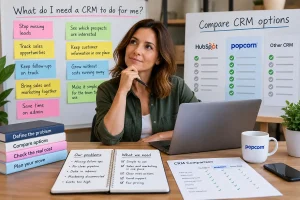
Before comparing products, write down the three biggest problems you want the CRM to solve.
For example:
| Problem | Need |
|---|---|
| We miss follow-ups. | reminders, next actions and a clear daily view. |
| We cannot see where deals are. | a visual sales pipeline and proper deal management. |
| Sales and marketing feel disconnected. | email marketing, forms, website activity and CRM history in one place. |
| The software feels too complicated. | something the team can understand and use quickly. |
| The cost keeps increasing. | clear pricing and functionality that does not rely on repeated upgrades. |
Action: Write down:
Only then should you compare products.
02 · Ease of use
2. Is it easy to use every day?
A CRM only works if people actually use it.
Ask how easy it is to:
- add a lead
- create a follow-up
- update a deal
- find a contact
- make a note
- see what needs attention today
HubSpot offers a lot of breadth, which can be useful.
A simple CRM should make the important everyday jobs easier and quicker for a small team.
Action: During a demo or trial, ask a real user to complete normal tasks without help.
If they hesitate or say they would update it later, that matters.
03 · Deals
3. Does it have proper deal management?
A small business usually needs more than a contact database.
Look for proper deal management, including:
- a visual sales pipeline
- clear deal stages
- deal owners
- values
- expected close dates
- next actions
- easy movement between stages
- visibility of what is stuck
If your sales process depends on opportunities moving from one stage to the next, strong deal management is essential.
Action: Ask the provider to show you exactly how a salesperson would manage an active deal from first enquiry to close.
04 · Lead nurturing
4. Does it have the essential marketing tools you need to nurture leads?
For many small businesses, CRM and marketing should work together.
That does not mean you need every possible marketing feature.
It means you need the essential tools that help you nurture prospects and keep them moving.
That might include:
- email marketing
- forms
- landing pages
- automation
- website tracking
- lead scoring or hot-prospect style visibility
- WhatsApp or other customer communication tools
The right question is not whether the CRM has the biggest marketing suite.
It is whether it has the tools your business genuinely uses to nurture leads.
Action: Write down the lead-nurturing activity you actually do today and the activity you realistically want to do in the next 12 months.
Then compare the CRM against that list.
05 · Joined up
5. Are sales and marketing joined up?
A CRM becomes much more useful when the salesperson can see what a prospect has been doing.
For example:
- which emails they opened
- which form they submitted
- whether they visited the website
- whether they responded to a campaign
- what sales notes and follow-ups already exist
If sales and marketing activity are split across different systems with no clear link, context gets lost.
Action: Ask: "If a prospect interacts with marketing today, can the salesperson see that clearly?"
That answer tells you a lot about fit.
06 · Follow-up
6. Does it make follow-up obvious?
For a small business, one of the most important CRM jobs is helping the team know what needs attention next.
Look for:
- reminders
- overdue follow-ups
- next actions
- tasks due today
- opportunities without recent activity
- a clear daily or sales dashboard
A CRM should help reduce dropped balls, not create another place to forget them.
Action: Ask the provider to show you where a user goes to see what needs doing today.
If the answer feels complicated, that is important.
07 · Cost
7. What will it really cost as your business grows?
Do not compare only the starting price. Look at the cost based on what you will realistically need.
That may include:
- user charges
- contact limits
- marketing contact charges
- add-ons
- higher tiers
- onboarding fees
- integrations
- extra storage
- usage or credit-based charges
A system that looks affordable at the entry point can become much more expensive when the features you actually need are added.
Action: Price both options based on the setup you would realistically need in 12 months.
Then compare the totals.
08 · Administration
8. How much administration does it need?
Some systems need much more hands-on management than others.
That can include:
- maintaining workflows
- cleaning data
- managing permissions
- checking reports
- reviewing integrations
- training users
- fixing setup issues
A broader platform may justify that if you actively use its wider functionality.
A simpler CRM should reduce the amount of software administration required for a small team.
Action: Ask yourself: "Will this CRM help us spend more time following up leads, or more time managing the system?"
That is a valuable test.
09 · Sales fit
9. Does it fit the way your business sells?
Your CRM should support the way your business actually works.
Check whether you can:
- customise the pipeline
- reflect your real stages
- manage more than one type of sales process if needed
- track the information your team genuinely needs
- keep the system simple enough to use consistently
A simple CRM should not mean rigid.
The real question is whether the CRM gives you the flexibility you need without unnecessary complexity.
Action: Sketch your real sales process on paper, then compare it with how each CRM handles it.
10 · The verdict
10. Which is the better fit for your business?
This is where everything comes together.
HubSpot may be the better fit if:
- you want a broad platform across sales, marketing and service
- you expect to use more advanced automation and reporting
- multiple teams need to work in the same environment
- you have the time, budget and resources to manage it properly
A simple CRM may be the better fit if:
- you have a small, hands-on team
- you mainly need strong deal management and follow-up control
- you want essential marketing tools for lead nurturing
- you want sales and marketing joined up without heavy administration
- you want clearer pricing and simpler day-to-day use
Action: Compare both options against the actual problems you wrote down at the start.
The better CRM is the one that solves those problems in a way your team will genuinely use.
The real choice
The real choice is complexity versus fit
The decision is not really HubSpot versus fewer features.
The key is to choose the system that helps your team manage deals, nurture leads and keep customer activity moving without wasting time or money.
popcorn CRM is designed specifically for small businesses that want CRM, sales and marketing activity joined together without the complexity of a much larger platform.
Paid popcorn plans include all dashboard, sales and marketing features, UK phone support and free onboarding.
That means a small business can compare not only price, but also the day-to-day fit of the system.
Summary
Quick checklist: HubSpot vs a simple CRM
Before deciding, ask:
- What do we actually need the CRM to do?
- Does it solve the problems we really have?
- Is it easy to use every day?
- Does it have proper deal management?
- Does it include the essential marketing tools we need to nurture leads?
- Are sales and marketing joined up?
- Does it make follow-up obvious?
- What will it really cost?
- How much administration does it need?
- Does it fit the way our business sells?
- Will our team actually use it?
If you can answer those clearly, you are much more likely to choose the right CRM.
Frequently asked questions
Is HubSpot better than a simple CRM for a small business?
It depends on what your business needs. HubSpot may be the better fit if you need a broad platform across sales, marketing, service and reporting and have the resources to manage it properly. A simple CRM may be the better fit if your main priorities are deal management, follow-ups, lead nurturing, joined-up sales and marketing activity, ease of use and lower ongoing administration.
What should a small business compare when choosing a CRM?
Start with the problems you need the CRM to solve. Then compare ease of use, deal management, lead-nurturing tools, joined-up sales and marketing activity, follow-ups, real cost, administration, flexibility, onboarding and support. Do not start only with the feature list, because that can lead to overbuying.
Do I need marketing tools inside my CRM?
Many small businesses benefit from having essential marketing tools connected to the CRM, especially for email marketing, forms, landing pages, automation and website activity. The aim is not to have every possible marketing feature, but to have the tools you genuinely use to nurture leads and keep sales and marketing activity joined up.
Is a simpler CRM less capable than HubSpot?
Not necessarily. A simpler CRM may have fewer layers of functionality, but it can still be a better fit if it handles the important jobs well, such as managing deals, reminding the team to follow up, nurturing leads and showing what needs attention. Capability should be judged by how well the software solves your problems, not by how many features exist on paper.
What is the biggest mistake when comparing HubSpot with other CRMs?
One of the biggest mistakes is starting with features rather than problems. If you begin by comparing long feature lists, it is easy to disappear down a rabbit hole and buy more software than your business actually needs. Start by asking what the CRM needs to do for you, then compare which system solves those problems most simply.
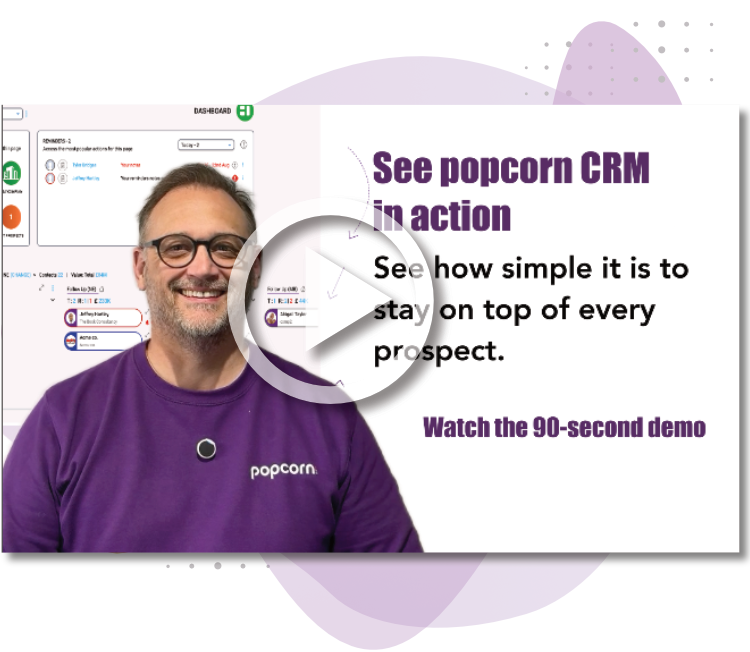
See popcorn in 90 seconds
The Small Business Alternative to HubSpot
See how popcorn keeps your customer journey joined up, without the complexity or the HubSpot price tag.
No contracts · No setup costs · UK-based support