Is HubSpot right for a small business? 7 things to consider
HubSpot is a capable platform, but that doesn't automatically make it the right CRM for every small business. Here are seven practical checks to make before you commit.

Quick answer
HubSpot can suit a small business that wants a broad sales, marketing and service platform and has the time, budget and resources to manage it. For a hands-on small team focused mainly on leads, follow-ups and opportunities, a simpler CRM with integrated finance and operations tools may be easier and more cost-effective.
- Choose a CRM around what you need it to do, not the length of the feature list.
- Factor in who will set up, maintain and own the CRM once it is live.
- Check what HubSpot will cost as you add users, contacts, Hubs and tiers.
- The best CRM is the one your team will actually use every day.
Overview
Is HubSpot right for a small business?
HubSpot can be a very capable platform, but that does not automatically mean it is the right CRM for every small business.
It is designed to support sales, marketing, customer service, content, automation, reporting and data management across growing organisations. For some small businesses, that breadth is exactly what they need.
For others, especially owner-managed businesses and small teams where the same people are selling, marketing and looking after customers, it can introduce more complexity than they actually need.
The most important question is not "How many features does HubSpot have?" It is "What do we actually need our CRM to help us do?"
Here are seven things to consider.
01 · Your needs
1. What do you actually need your CRM to do?
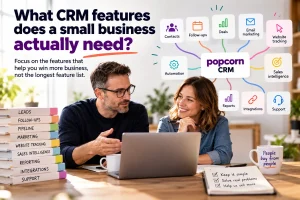
Before comparing CRM systems, write down what you actually need help with. For many small businesses, the list is surprisingly short.
You might need to:
- keep all your contacts in one place
- know which prospects you are currently talking to
- see where opportunities are in your sales pipeline
- remember who needs following up
- keep notes, emails and conversations together
- send marketing communications
- see which prospects are showing interest
HubSpot can do all of these things, but it can also do considerably more. Its wider platform covers CRM, sales, marketing, customer service, content, data management, automation, AI tools and reporting.
That is valuable if you need it. If you do not, more functionality can mean more settings, more decisions and more time spent managing software rather than speaking to customers.
Action: Write down the five things your CRM absolutely must do. Put everything else into two columns: Useful later and Probably don't need. Choose your CRM around the first list, not the length of the feature page.
02 · Resources
2. Do you have the time and resources to manage it?
A CRM is only useful if somebody has the time to set it up, maintain it and make sure the team actually uses it.
A broader platform can require more work around:
- configuration
- user permissions
- workflows
- automation
- reporting
- data management
- integrations
- training
Larger businesses may have dedicated marketing, sales operations or CRM teams to look after this. Small businesses often do not.
If the owner or salesperson is also responsible for maintaining the CRM, that administration time matters.
Action: Ask: who will own the CRM once it is live? If the answer is "probably me, when I get time", simplicity should be a major part of your buying decision.
03 · Your team
3. How many people will actually use it?
Small business CRM requirements can look very different depending on whether you have one user, three users or a larger sales and marketing team.
If only a handful of people will use the system, you may not need the levels of permissions, reporting structures and team management features designed for larger organisations.
Think about who genuinely needs access. That could include:
- business owner
- salesperson
- marketing person
- customer service
- administrator
Then ask what each person actually needs to do inside the CRM.
Action: List every likely CRM user and write down the three things each person needs the system to help them do. That will quickly show whether you need a broad platform or something simpler.
04 · Features
4. How much of HubSpot will you really use?
One of the biggest questions for a small business is not whether HubSpot has the features you need. It almost certainly does. The question is how many of those features you will actually use.
It is easy to choose software based on what it might do one day rather than what the business needs now.
That can leave you paying for functionality that looks impressive on a feature list but has very little impact on your day-to-day sales process.
Action: When comparing features, mark each one:
Use every week
Useful occasionally
Might use one day
The first group should drive your decision.
05 · Cost
5. What will HubSpot cost as your business grows?
Do not only compare the starting price. Think about what happens as you add:
- users
- marketing contacts
- additional Hubs
- higher subscription tiers
- add-ons
- extra capacity
- AI or credit-based features
A system that feels affordable when you first start can become much more expensive as your requirements grow.
That does not mean the cost is necessarily poor value. If you are using the functionality and it is helping you generate results, the investment may make perfect sense. The important thing is to understand the likely cost before you commit.
06 · Your software
6. Do you need one broad platform or simpler connected software?
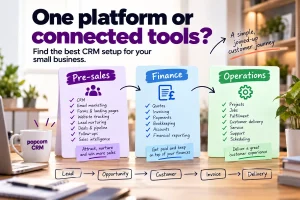
Small businesses do not necessarily need one system to run every part of the company. A useful way to think about your software is in three areas.
Pre-sales
Everything that happens before somebody becomes a customer.
For example:
- CRM
- leads
- sales pipelines
- follow-ups
- email marketing
- forms
- landing pages
- website tracking
- quotes and proposals
Finance
Everything around getting paid and managing money.
For example:
- invoicing
- bookkeeping
- expenses
- payments
- VAT
- financial reporting
Operations
Everything involved in actually delivering the product or service.
For example:
- project management
- jobs
- stock
- scheduling
- customer support
- delivery
- team management
For many small businesses, choosing a good tool for each area and connecting them can be simpler than trying to make one large platform do everything. It can also make it easier to replace one part of the technology stack later without disrupting the entire business.
popcorn CRM is designed around the pre-sales part of that journey, bringing CRM, sales and marketing activity together and connecting with other business systems.
Action: Write down the software you currently use under Pre-sales, Finance and Operations, then look for duplication. The aim is not to have the fewest possible tools. It is to have the simplest combination of tools that does what your business actually needs.
07 · Adoption
7. Will your team actually use it?
This may be the most important question of all. The best CRM is not necessarily the one with the most functionality. It is the one your team actually uses consistently.
A powerful CRM that people avoid updating will quickly become unreliable. You may end up with:
- missed follow-ups
- incomplete notes
- opportunities not being updated
- unreliable reports
- information stored outside the CRM
For a small business, adoption matters enormously because there are fewer people to fill in the gaps when information is missing.
Action: Before choosing a CRM, ask the people who will use it to complete a few real everyday tasks. For example:
-
Add a new lead
-
Create a follow-up
-
Update an opportunity
-
Find the history of a contact
-
See what needs attention today
If those basic tasks feel unnecessarily difficult, that is a warning sign.
The verdict
So, is HubSpot right for your small business?
It can be. HubSpot makes sense for businesses that need a broad platform across sales, marketing, service and data and have the resources to make proper use of it.
But many small businesses do not need that level of functionality.
If your main priority is keeping on top of leads, follow-ups and opportunities while joining up your sales and marketing activity, a simpler CRM may be easier to implement, easier for the team to use and more cost-effective.
Frequently asked questions
Is HubSpot good for a small business?
HubSpot can be a good fit for a small business that needs a broad range of sales, marketing, service and automation tools and has the time and resources to manage them. Smaller teams with simpler requirements may find that a lighter CRM gives them the essential tools they need with less administration and complexity.
Is HubSpot free for small businesses?
HubSpot offers free tools, but businesses may need paid plans as they require more advanced features, increased limits, additional users or broader sales and marketing functionality. The important thing is to compare what your business actually needs with the likely cost as your team, contact database and requirements grow.
Is HubSpot difficult to use?
HubSpot is designed to support a wide range of businesses and processes, so the platform can become complex as more Hubs, automation, reporting and features are added. Some small businesses will value that flexibility, while others may prefer a simpler CRM focused on the everyday tasks their sales and marketing teams actually need.
When does a small business need a CRM?
A small business usually needs a CRM when keeping track of prospects, conversations and follow-ups in spreadsheets, inboxes or people's memories starts becoming unreliable. A CRM should give the team one place to see contacts, opportunities, next actions and previous activity, helping reduce the chances of valuable enquiries being forgotten.
What should a small business look for in a CRM?
A small business should prioritise ease of use, the sales and marketing features it genuinely needs, clear pricing, good support and the ability to connect with other important business software. The best CRM is usually the one the team can understand quickly and will consistently use to manage leads, follow-ups and opportunities.
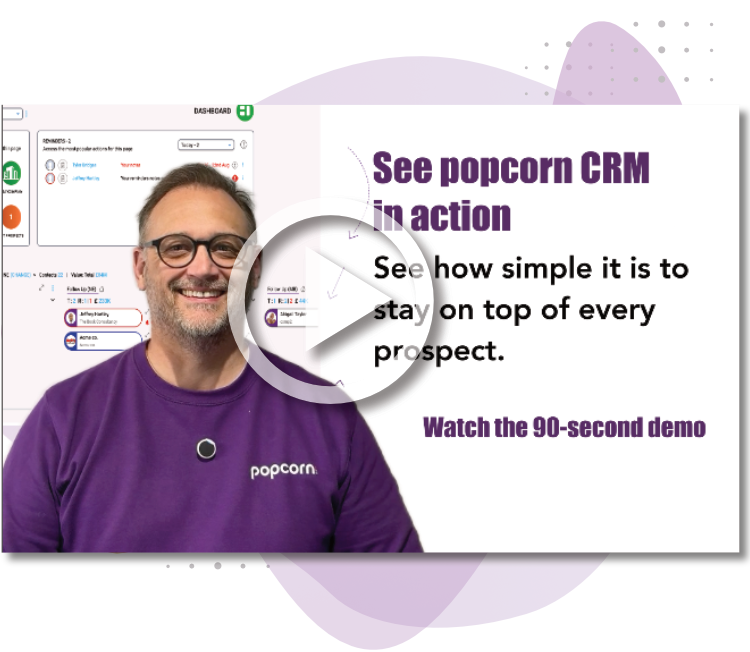
See popcorn in 90 seconds
The Small Business Alternative to HubSpot
See how popcorn keeps your customer journey joined up, without the complexity or the HubSpot price tag.
No contracts · No setup costs · UK-based support