HubSpot vs a simple CRM: which is better for a small business?
If you are comparing HubSpot with a simpler CRM, the most important question is not "Which system has the most features?"
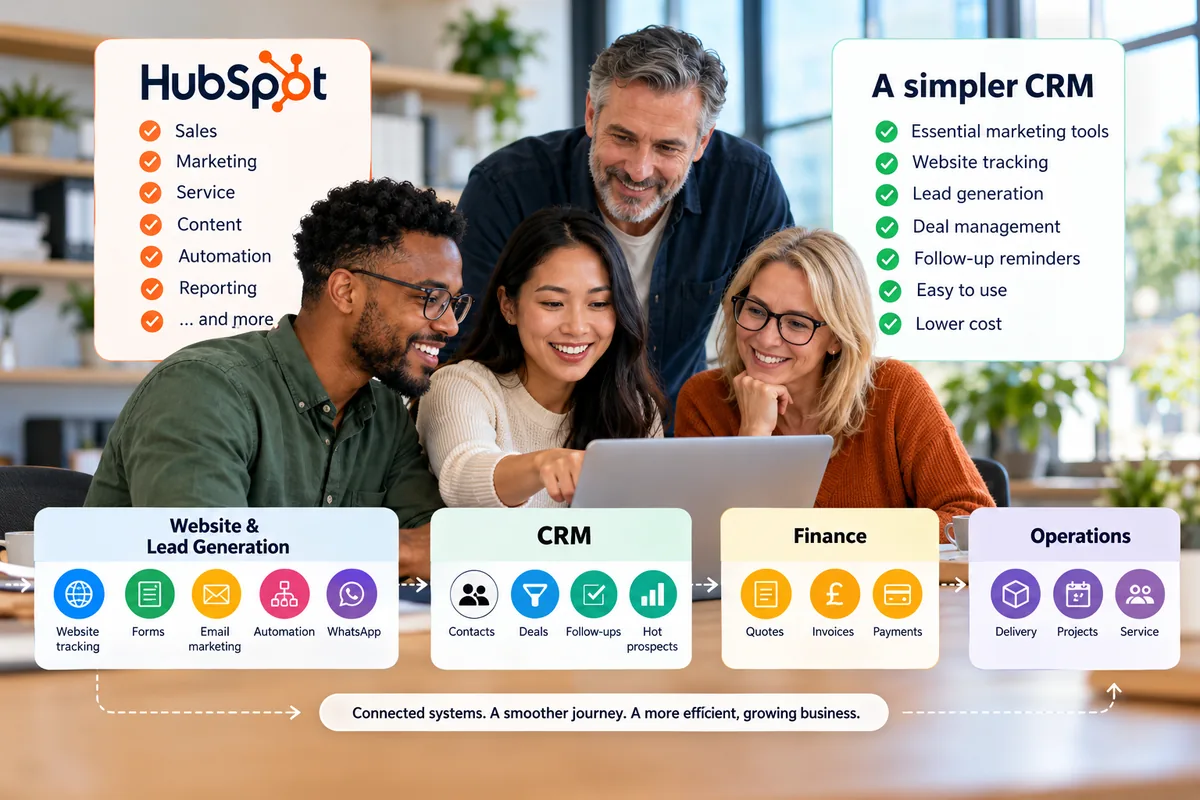
Quick answer
HubSpot may be the better fit if your business genuinely needs a broad platform across sales, marketing, service and reporting and has the budget and resources to manage it. A simple CRM may be better if you mainly need strong deal management, joined-up marketing, website tracking, lead generation, nurturing, clear follow-ups and a system your team can use without unnecessary complexity.
- Start with what you actually need the CRM to do.
- Make sure it has proper deal management, not just contact storage.
- Check whether essential marketing tools are joined directly to the CRM.
- Website tracking should help identify engaged prospects and support lead generation.
- Compare whether sales and marketing activity stay joined up.
- Review the real cost, not just the starting price.
- Do not assume one giant platform is always the best way to grow.
- Three specialist systems for pre-sales, finance and operations can often be more flexible and cost-effective.
- Choose technology that can change as your business changes.
Overview
Start with what you need, not what it can do
The most important question is not: "Which system has the most features?"
It is: "What do I actually need a CRM to do for my business?"
That should be your starting point.
For many small businesses, the problems are quite practical:
- leads are being forgotten
- follow-ups are being missed
- sales opportunities are hard to track
- customer information is spread across inboxes and spreadsheets
- marketing and sales activity are disconnected
- nobody knows which prospects are showing interest
- the team cannot clearly see what needs attention today
- the CRM is becoming expensive
- too much time is being spent managing software instead of customers
Once you are clear on the problems, you can start comparing whether HubSpot or a simpler CRM is the better fit.
01 · Your needs
1. What do you actually need the CRM to do?
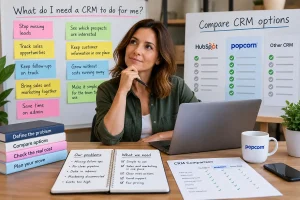
Before comparing software, write down the three biggest problems you need your CRM to fix.
For example:
| Problem | Need |
|---|---|
| We forget to follow up leads. | reminders, next actions and a clear daily view. |
| We cannot see where deals are. | a visual pipeline and proper deal management. |
| Sales and marketing are disconnected. | email marketing, forms, website activity and CRM history together. |
| Our CRM is too complicated. | something the team can understand and use quickly. |
| Our software costs keep increasing. | clear pricing and fewer unnecessary upgrades. |
The mistake is starting with a feature list.
That is how small businesses end up disappearing down a very deep rabbit hole and buying far more software than they actually need.
Action: Write down:
Only then start comparing systems.
02 · Deals
2. Does it have proper deal management?
A CRM should be more than a contact database.
If you actively sell, you need to be able to manage opportunities properly.
Look for:
- a visual sales pipeline
- clear deal stages
- deal owners
- deal values
- expected close dates
- next actions
- easy movement between stages
- visibility of deals that have stopped moving
HubSpot can provide sophisticated sales functionality.
A simpler CRM can still provide strong deal management without bringing all the extra layers around it.
The key question is: Can your salesperson open the CRM and immediately understand what they are working on?
03 · Lead generation
3. Does it include the essential marketing tools you need to generate and nurture leads?
A simple CRM should not mean CRM only.
For many small businesses, the CRM should sit at the centre of the lead-generation and nurturing process.
That means having the essential marketing tools connected directly to your customer data.
Look for things such as:
- email marketing
- website forms
- landing pages
- marketing automation
- website tracking
- lead scoring or hot-prospect identification
- WhatsApp communication
- segmentation
The important part is not simply having these tools.
They should be joined up with the CRM.
For example, somebody might:
Visit your website → fill in a form → enter the CRM → receive nurturing emails → return to your website → become a hot prospect → move into the sales pipeline
That is much more useful than having your CRM, email marketing and website activity sitting in separate places.
HubSpot provides extensive functionality for doing this.
But a small business should ask: "Do I need the full HubSpot marketing platform, or do I need the essential tools joined to my CRM so I can generate, nurture and convert leads?"
That distinction can make a significant difference to both complexity and cost.
Action: Map out how you currently generate leads.
Then ask whether the CRM can support the journey from:
Website visitor → Lead → Nurture → Opportunity → Customer
without forcing your team to manually move information between systems.
04 · Website tracking
4. Can your CRM and website work together to identify opportunities?
Website tracking is particularly useful when it is connected to your CRM.
A website visitor on their own is anonymous traffic.
But when somebody has previously filled in a form, responded to a campaign or otherwise identified themselves, website activity can provide useful sales signals.
For example, an existing prospect might:
- return to your pricing page
- look at a particular service
- revisit your website several times
- interact with a campaign
- submit another form
When that activity is connected to the CRM, your salesperson has much more context.
Instead of simply seeing:
"Call Sarah."
they may be able to see:
"Sarah has returned to the website several times and looked at the pricing page."
That can help the business identify which prospects deserve attention.
In popcorn CRM, website tracking contributes to identifying Hot Prospects, helping salespeople see which existing contacts are showing increased interest.
The important question is: "Does my CRM just hold customer records, or does it help me identify and generate sales opportunities?"
05 · Joined up
5. Are sales and marketing actually joined up?
Having marketing tools is only part of the answer. They also need to connect to the sales process.
Imagine a prospect:
-
They visit your website.
-
They fill in a form.
-
They receive an email.
-
They open it.
-
They come back to your website.
-
Then a salesperson calls them.
The CRM should help the salesperson understand that journey.
So ask: "Can my salesperson see what this prospect has been doing before they pick up the phone?"
That is much more useful than simply knowing that your software includes email marketing.
For a small business, joined-up information can make it easier to prioritise the right prospects and have better conversations.
06 · Follow-up
6. Does it make follow-up obvious?
This is one of the most important jobs a CRM can do.
A salesperson should be able to answer: "Who do I need to contact today?" without digging through reports or several different screens.
Look for:
- follow-up reminders
- overdue activity
- next actions
- tasks due today
- active deals
- opportunities without recent activity
- prospects showing buying signals
The CRM should help prevent opportunities from quietly disappearing.
In popcorn CRM, the Daily Dashboard is designed around this idea by bringing the work that needs attention into one place.
07 · Ease of use
7. How easy is it for your team to actually use?
HubSpot's breadth can be a strength.
But breadth also means more to configure, more to learn and more to manage.
For a small team, ask:
- Can everyone understand it?
- How much training will they need?
- Will they keep the information updated?
- Does one person need to become the internal CRM expert?
- Will people end up falling back to spreadsheets or inbox reminders?
A powerful system that nobody wants to use is not very powerful in practice.
08 · Cost
8. What does it really cost?
Do not compare only the headline monthly price. Look at the total setup you realistically need.
That can include:
- users
- marketing contacts
- higher subscription tiers
- add-ons
- extra storage
- onboarding
- implementation
- usage or credits
- integrations
- additional software needed around the CRM
Using the current popcorn comparison example, a three-user popcorn account costs £99 + VAT per month.
The comparison figure we are currently using for HubSpot Marketing Hub Professional is around £702 per month.
That is a difference of around £603 per month, before taking HubSpot's onboarding cost into account.
That does not mean popcorn and HubSpot are identical products. They are not.
The point is to compare what your business actually needs against what you are paying for.
If the extra functionality is valuable to you, the additional cost may be justified.
If you do not use it, that is a very different calculation.
09 · Your stack
9. Don't get hung up on having one platform
There is a common assumption that as your business grows, everything should eventually move into one large platform.
That is not always the best answer.
For many small businesses, three well-chosen systems can be better than one giant system.
Think of the business in three connected areas:
Pre-sales
Your pre-sales system should help you:
- generate leads
- capture website enquiries
- track website activity
- nurture prospects
- send email marketing
- automate relevant follow-up
- identify engaged or hot prospects
- manage deals
- keep on top of follow-ups
- convert opportunities into customers
Finance
This covers:
- quotes
- invoicing
- payments
- bookkeeping
- accounts
Operations
This covers what happens after the sale:
- project delivery
- jobs
- fulfilment
- service
- operational workflows
That means your CRM is not simply a database.
It becomes the engine connecting your lead generation, marketing and sales process.
You do not necessarily need one system to do all three. You need the right systems to work together.
With integrations, the customer journey can still flow:
Lead → Opportunity → Customer → Invoice → Delivery
without every stage happening inside the same piece of software.
Three systems can often be better
A specialist CRM designed for small businesses can focus on pre-sales.
Your accounting platform can focus on finance.
Your operations software can focus on delivery.
Because each tool is designed around a specific job, it can often be:
- easier to use
- better suited to the people using it
- more cost-effective
- simpler to change later
This also makes your technology more flexible.
If your operational requirements change in three years, you can replace the operations system. You do not necessarily have to replace the CRM and finance software at the same time.
If your finance requirements change, you can swap that part. The same applies to CRM.
Your systems become connected building blocks rather than one enormous platform that everything depends on.
Challenge yourself with this question
"Do I really need one platform that does everything, or would three specialist systems serve my business better for less?"
That can be a much better question for a growing small business.
10 · The verdict
10. Which approach gives your business the best fit?
This is where everything comes together.
HubSpot may suit you better if:
- you want a broad platform across several departments
- you expect to use more advanced automation and reporting
- you need deeper marketing functionality
- multiple teams need to work inside the same ecosystem
- you have the budget and internal resources to manage it properly
A simpler CRM, potentially connected to separate finance and operations systems, may suit you better if:
- you have a small, hands-on team
- you need strong deal management
- you want to keep on top of follow-ups
- you need essential marketing tools to generate and nurture leads
- you want website tracking joined to CRM activity
- you want sales and marketing activity joined together
- you want clearer pricing
- you want less software administration
- you want the flexibility to swap systems as your business changes
The decision should come back to the problems you identified at the start.
The real choice
The real choice is not HubSpot versus fewer features
It is about choosing the right amount of technology for the business you actually run.
A broader platform can be powerful when you genuinely need that breadth.
A simpler CRM can be a better choice when your priority is clarity, adoption and lower administration.
And you do not have to choose between one giant system or a disconnected mess of apps.
There is a middle ground. You can build a connected technology stack around:
Pre-sales → Finance → Operations
with each system doing the job it is designed to do.
That can give a small business something very valuable:
As the business grows and your requirements change, you can swap individual parts of the stack in and out.
That can be more flexible, more cost-effective and better suited to a small business than continually upgrading one increasingly complex platform.
Summary
Quick checklist: HubSpot vs a simple CRM
Before deciding, ask:
- What do we actually need the CRM to do?
- What problems are we trying to solve?
- Does it have proper deal management?
- Does it include the essential marketing tools we need to generate and nurture leads?
- Is website tracking connected to the CRM?
- Can it help identify engaged or hot prospects?
- Are sales and marketing joined up?
- Does it make follow-up obvious?
- Will our team actually use it?
- What will it really cost?
- How much administration does it create?
- Do we really need one platform?
- Could pre-sales, finance and operations be handled better by three connected specialist systems?
- Can we change individual tools later as our needs evolve?
If you can answer those questions clearly, you are much more likely to choose technology that actually fits the business.
Frequently asked questions
Is HubSpot better than a simple CRM for a small business?
It depends on what your business needs. HubSpot may be the better fit if you need a broad platform across sales, marketing, service and reporting and have the resources to manage it. A simpler CRM may be better if your priorities are deal management, lead generation, nurturing, website tracking, follow-ups, ease of use and lower ongoing administration.
Does a simple CRM still need marketing tools?
For many small businesses, yes. A simple CRM can still include essential marketing tools such as email marketing, forms, landing pages, automation and website tracking. The important thing is that those tools are joined to the CRM so they can help generate, nurture and convert leads rather than sitting in isolation.
Should my CRM have website tracking?
Website tracking can be valuable when it is connected to identified contacts in the CRM. It can help show when existing prospects return to your website, revisit important pages or engage after a campaign. That gives salespeople more context and can help identify which prospects may deserve attention.
Should my CRM have deal management?
If your business manages sales opportunities, yes. Deal management helps you see where opportunities sit in the pipeline, who owns them, what they are worth and what should happen next. A CRM that only stores contacts may not give an active sales team enough visibility.
Is it better to have one business platform or several connected systems?
Not necessarily one or the other. For many small businesses, three specialist systems for pre-sales, finance and operations can be more practical than one large platform. If they integrate properly, information can still move through the business while each team uses software designed specifically for its job.
Can using several systems save money?
It can. A business may be able to use specialist CRM, accounting and operations software for less than the cost of moving onto a larger all-in-one platform. The important thing is to compare the total subscription and administration cost of the complete setup, including integrations.
Will using several systems make my business harder to manage?
It can if you create too many disconnected tools. The goal is not to build a sprawling collection of apps. A small number of clearly defined systems, connected properly, can be easier to manage because each one has a specific role and can be replaced independently if your requirements change.
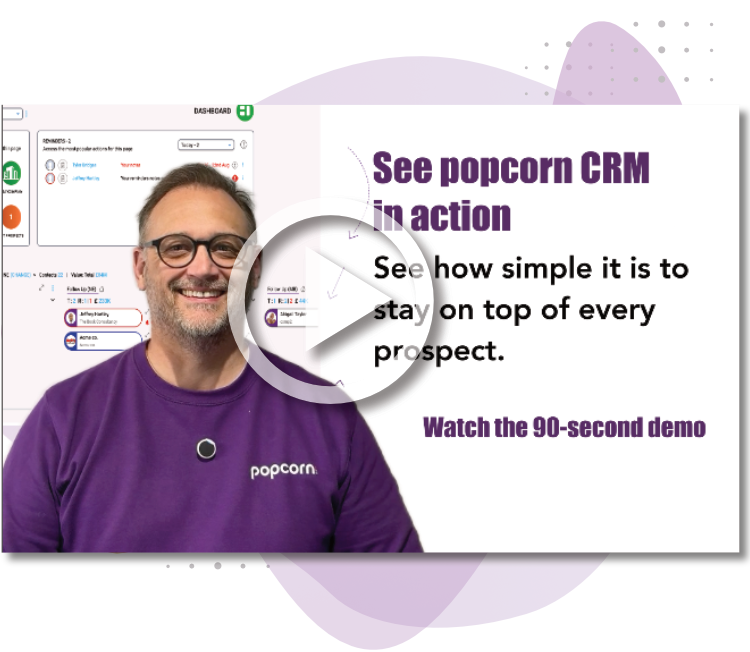
See popcorn in 90 seconds
The Small Business Alternative to HubSpot
See how popcorn keeps your customer journey joined up, without the complexity or the HubSpot price tag.
No contracts · No setup costs · UK-based support