Is HubSpot too complicated for a small business? 7 signs to look for
HubSpot can be a powerful platform. But powerful does not automatically mean suitable.
Quick answer
HubSpot may be too complicated for a small business if your team avoids using it, simple tasks feel slow, one person has to manage the system, costs keep increasing and most advanced features go unused. The clearest warning sign is when the CRM creates more administration than clarity for your sales team.
- Workarounds outside the CRM often signal poor fit.
- Simple sales tasks should not feel like admin.
- Heavy dependence on one HubSpot expert creates risk.
- Rising costs can be a symptom of unnecessary complexity.
- Unused features add little value if the team never touches them.
- A CRM should help your team act, not maintain software.
- The best CRM is one your team actually uses consistently.
Overview
Is HubSpot too complicated for a small business?
For a small business, the right CRM should help the team keep on top of leads, follow-ups, opportunities and customer activity without creating unnecessary administration.
If your team is avoiding the system, working around it or paying for features nobody uses, the issue may not be training.
The platform may simply be more complicated than your business needs.
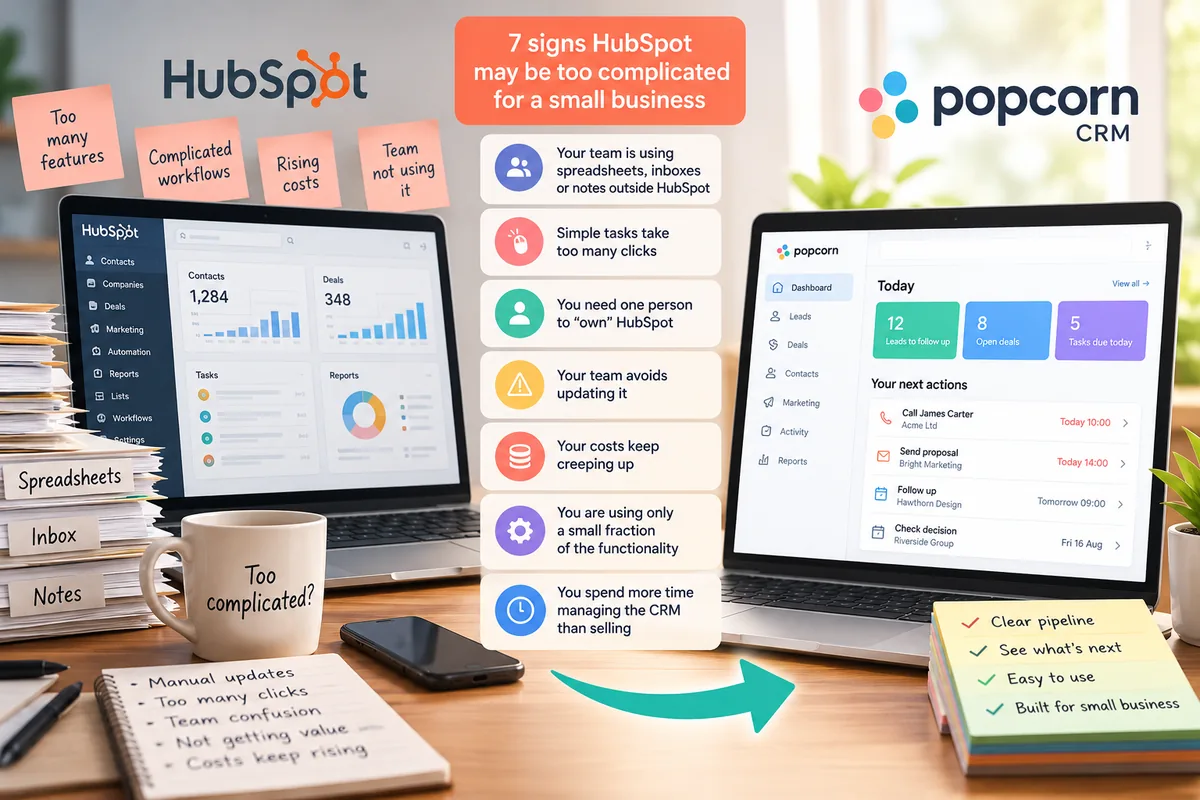
Here are seven signs to look for.
Sign 01 · Workarounds
1. Your team is still using spreadsheets, inboxes or notes outside HubSpot
One of the clearest warning signs is when people create their own workarounds.
That might mean:
- keeping prospect lists in spreadsheets
- storing follow-up reminders in Outlook
- writing sales notes in notebooks
- maintaining separate task lists
- keeping important information in email threads
- using another tool because it feels quicker
A CRM should become the natural place to manage customer activity.
If the team continually works around it, the software may not fit the way they actually work.
Action: Ask each person on the team: "What sales information do you still keep outside HubSpot?"
Do not judge the answer. The workarounds will tell you where the CRM is creating friction.
Sign 02 · Speed
2. Simple tasks take too many clicks
Basic CRM tasks should feel quick.
Your team should be able to:
- add a lead
- make a note
- create a follow-up
- update an opportunity
- find a contact
- check what needs attention
without having to think too hard about where to go next.
If people regularly say things like:
"Where do I find that?"
or:
"I'll update it later."
that is a warning sign.
Small delays become bigger problems when they make people stop updating the CRM altogether.
Action: Ask a salesperson to complete five normal tasks in HubSpot while you watch.
Do not help them. Notice where they pause, get lost or decide something is not worth doing.
Sign 03 · Dependency
3. You need one person to own HubSpot just to keep it usable
Larger businesses may have dedicated CRM administrators, operations teams or marketing specialists. Small businesses often do not.
If your HubSpot setup only works because one person understands the workflows, reports, permissions, integrations and settings, that creates dependency.
If that person is busy, leaves or changes role, the rest of the team may struggle.
Action: Ask: "If the person who knows HubSpot best was away for a month, could the rest of us manage it confidently?"
If the answer is no, the system may be carrying more complexity than the business can comfortably support.
Sign 04 · Confidence
4. Your team avoids updating it because they are worried about doing something wrong
Complexity does not always look like confusion. Sometimes it looks like hesitation.
People may avoid changing a deal stage, editing a property or updating a record because they are unsure what else it might affect.
That uncertainty can lead to:
- incomplete records
- old opportunities staying open
- follow-ups being missed
- unreliable reports
- information being stored elsewhere
A CRM should make people confident enough to use it.
Action: Ask your team: "Is there anything in HubSpot you avoid changing because you are worried about breaking something?"
If several people say yes, that is worth taking seriously.
Sign 05 · Cost
5. Your HubSpot costs keep creeping up
Complexity is not only about how difficult the software feels. It can also show up in the bill.
As your account grows, costs can increase through things such as:
- more users
- more marketing contacts
- additional Hubs
- higher subscription tiers
- add-ons
- extra capacity
- credits or usage-based features
If the monthly or annual cost keeps increasing while your team still uses only a small part of the platform, that can be a sign that the software has grown beyond what the business actually needs.
Action: Compare your HubSpot cost today with what you were paying when you first signed up.
Then ask: "Has the value we get from the platform increased by the same amount?"
If the cost is running away faster than the value, review the setup before simply renewing again.
Sign 06 · Features
6. You are using only a small fraction of the functionality
HubSpot offers a wide range of sales, marketing, service, automation and reporting tools. That can be a major strength.
But if your small business mainly uses:
- contacts
- deals
- notes
- reminders
- email marketing
- a basic pipeline
then you may be carrying a lot of functionality that adds very little to your day-to-day work.
The problem is not that unused features exist.
The problem is when they make the system harder to understand or more expensive without improving results.
Action: List the HubSpot features your team genuinely uses every week.
Then compare that with the features included in your paid setup.
If the gap is large, ask whether the broader platform is still the right fit.
Sign 07 · Admin
7. You spend more time managing the CRM than acting on sales opportunities
This is probably the strongest test. A CRM should help your team act.
If too much time is spent:
- building reports
- fixing workflows
- changing permissions
- cleaning lists
- maintaining automation
- checking integrations
- training people how to use the system
then the software may be creating more administration than clarity.
For a small business, that time matters.
Every hour spent maintaining software is an hour that could have been spent following up a lead, speaking to a customer or closing an opportunity.
Action: Estimate how much time your team spends each month maintaining HubSpot.
Then compare it with the time spent actually using the CRM to sell and follow up.
If maintenance is becoming a major part of the workload, simplicity may be worth more than additional features.
The alternative
What should a simple CRM feel like?
Simple does not mean basic. It means clear.
A good small-business CRM should make it easy to:
- see your leads and opportunities
- know who needs following up
- keep notes and activity together
- send relevant marketing
- see which prospects are showing interest
- understand what needs your attention next
The team should not need to think about the CRM. They should be able to think about the customer.
popcorn CRM is designed around that principle.
Its Daily Dashboard brings leads, deals and follow-ups into one view, while sales and marketing activity sits together around the contact.
The aim is not to give a small business the most software.
It is to give the team the tools they actually need in a way they will consistently use.
The bottom line
Complexity is also a cost
If HubSpot needs more administration, more training and more money every year while your team still uses only the basics, it is worth asking whether the platform is still the right fit.
Summary
Quick checklist: is HubSpot becoming too complicated?
Check:
- Is your team still using spreadsheets or notes outside HubSpot?
- Do basic tasks feel slower than they should?
- Does one person have to manage the system for everyone else?
- Are people worried about changing things?
- Are your HubSpot costs running away?
- Are most advanced features going unused?
- Are you spending more time maintaining the CRM than acting on opportunities?
If several of these sound familiar, it may be time to compare a simpler alternative.
Frequently asked questions
Is HubSpot too complicated for a small business?
It can be. HubSpot is designed to support a wide range of sales, marketing, service and data requirements, which can be valuable for businesses that need them. For a small team with simpler needs, that breadth can create unnecessary administration, training and cost if people only use a small part of the platform.
Why does my team avoid using HubSpot?
Teams often avoid a CRM when everyday tasks feel too complicated, they are unsure where information belongs or they worry about changing something incorrectly. If people regularly fall back to spreadsheets, email reminders or notes outside the CRM, that can be a sign the system is not fitting naturally into their workflow.
Is HubSpot worth the cost for a small business?
That depends on how much of the platform you actually use and the value it creates. If your team relies on the advanced functionality and it helps generate results, the cost may be justified. If the bill keeps increasing while the team still uses only basic CRM features, it is worth reviewing whether a simpler system would be better value.
How do I know if my CRM is too complicated?
Look at behaviour rather than the feature list. Warning signs include people working outside the CRM, simple tasks taking too long, one person becoming the system expert, poor record updates, rising administration and features going unused. A CRM should make it easier to manage customers and sales activity, not create additional friction.
Should a small-business CRM be simple?
Yes, but simple does not mean limited. A small-business CRM should make the important tasks clear and easy, such as managing contacts, following up leads, moving opportunities and keeping sales and marketing activity together. The right level of simplicity is one that helps the team use the system consistently without unnecessary administration.
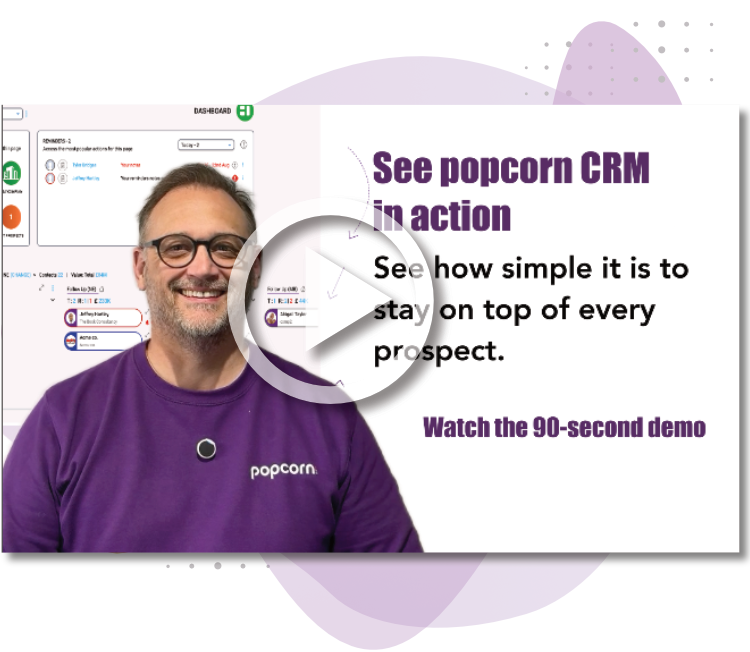
See popcorn in 90 seconds
The Small Business Alternative to HubSpot
See how popcorn keeps your customer journey joined up, without the complexity or the HubSpot price tag.
No contracts · No setup costs · UK-based support